Signal Locks Siri AI and Gemini Intelligence Out of Its Chats: Screenshot Blocking On by Default in iOS 27 and Android, but Files, Notifications and Accessibility Remain Open Routes
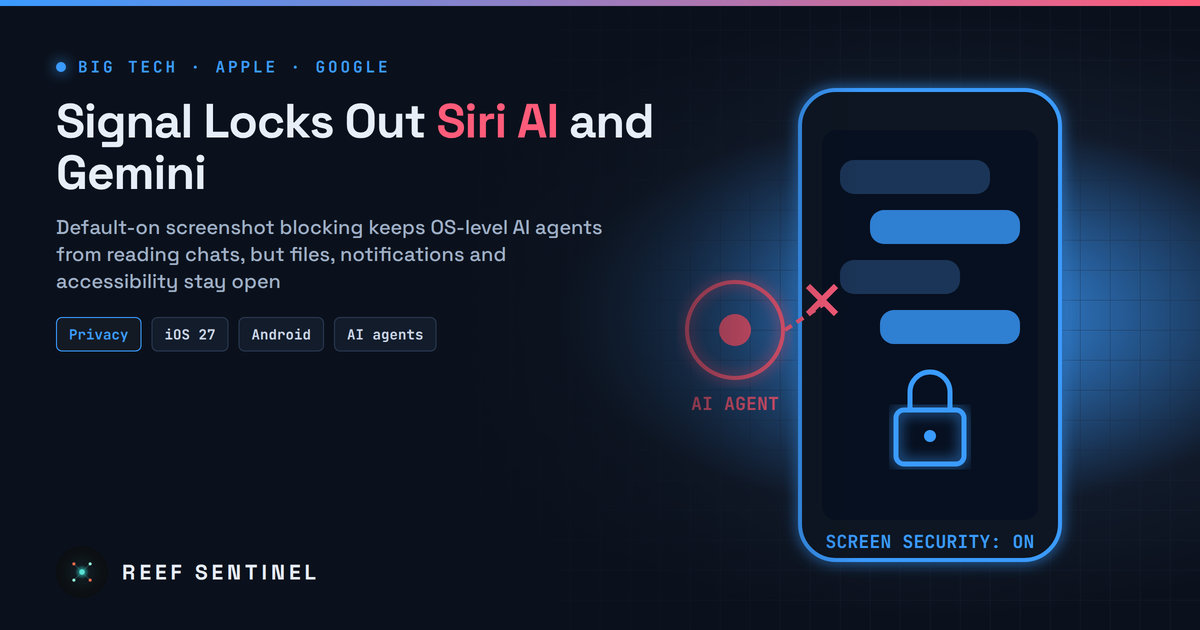
Signal now blocks screenshots by default on iOS 27 and turns on Screen security when Android AI assistants read the screen, saying Apple's Siri AI and Google's Gemini Intelligence threaten its privacy guarantees, and asks the platforms for a developer opt-out from OS-level AI data access.
What Happened
Signal has started blocking the AI agents built into Apple's and Google's phone operating systems from reading its chats. In a blog post published on 20 November 2026, Signal president Meredith Whittaker said the messenger is now "restricting the latest AI agents built into mobile operating systems" from capturing Signal content. She describes these agents as an existential threat to Signal's ability to guarantee privacy.
The targets are features that Apple and Google have shipped this autumn. Apple's Siri AI has "Onscreen Awareness", which lets the assistant see and act on whatever is on the screen. Google's Gemini Intelligence on Android can read screen and app context. Both work at the operating-system level, above any single app. That means they can see a decrypted message the moment it is shown, however strong the encryption was on the way there.
Whittaker admits the fix is partial. Signal's main tool is screenshot blocking, and she writes that it "does not address other more sneaky ways AI agents could potentially access application data".
The Details
The protections differ by platform because each operating system gives app developers different controls:
- iPhone (iOS 27): A new setting called "Block Siri AI" is on by default. It blocks screenshots inside Signal and hides chat content in the App Switcher. Signal presents this as the way to keep Siri AI from capturing your messages.
- Android: Many phone makers' Android versions don't let Signal reliably tell when someone is taking a screenshot. So Signal watches for an AI assistant trying to read the screen and then automatically turns on its existing "Screen security" setting. This only works "on Android versions where we can detect an AI assistant", which means some devices get no protection.
- macOS 27: Signal says it cannot reliably block screenshots on the Mac. It says the protections Apple offers only cover streaming and DRM content. For now, it recommends adding Signal under System Settings > Siri > Excluded Apps.
- Windows: Nothing new. Signal Desktop has blocked screenshots by default on Windows 11 since last year, when it moved to keep Microsoft Recall from storing snapshots of conversations.
Users can switch the new protections off. Signal warns that doing so exposes their content and breaks its privacy guarantees. That applies to both sides of the conversation, because a contact's messages can be read too.
Why the Screenshot Fix Is Not Enough
Whittaker lists the routes that screenshot blocking does not touch. An agent with filesystem access could read data that is already stored on the device. Notifications, system APIs and other operating-system frameworks can also expose message content. Accessibility services, built to help users with disabilities, can be used by third-party agents to read what is on screen.
That last route is not hypothetical. The post names Meta's Muse agent as an example of a third-party agent that relies on accessibility settings. Two days earlier, on 18 November, a news agency investigation drew on more than two dozen internal Meta employee posts. Those posts reported Muse surfacing chats apparently meant for other people and reaching into encrypted personal messages. One employee said a Muse reminder pointed her to a Signal message from her sister, although she had never given Muse access to Signal. Reporters worked with Signal staff to reproduce that access. Meta called the examples "isolated incidents". It said many of the suspected account mix-ups were model hallucinations, not other people's data. According to the reporting, an operating-system update that week closed the route the reporters had found.
What Signal Is Asking Apple, Google and Microsoft For
The post ends with two requests to the platform owners:
- A developer opt-out: an easy, well-documented way for an app to opt out of AI data access and processing. It should cover screen reading, the filesystem, notifications, APIs and other OS frameworks, "without undermining the core utility of an application".
- Documentation: proper technical specifications for how these agents access and process data. Whittaker says confidential-computing promises are not a complete answer.
She also asks Apple for a macOS API that allows real screenshot protection. Signal says it is "cautiously optimistic" that Google and Apple are engaging. As things stand, she writes, "we do not have the tools available that let us do the job."
Apple has already given users one control. iOS 27.2 added Settings > Siri > Excluded Apps. Privacy advocates say an excluded app's content can't be read by Siri AI and gets no Onscreen Awareness. But that is a choice each user has to make, not a guarantee the app can enforce. Advocates also note that Android has no equivalent per-app screen-context control. Gemini can still read notifications through its device-assistance features unless the user turns off "Use screen and app data".
Why It Matters
For security teams, this is a change in the threat model, not a dispute between one app and two platforms. End-to-end encryption protects data in transit and on the server. It was never designed to protect data from the device's own operating system. When the OS vendor puts an always-available agent above every app, the encryption has a new endpoint: the assistant itself, and whatever cloud service it reports to.
Whittaker calls Signal "the canary in the coal mine". The same issue affects any app that shows regulated or confidential data. Examples include banking, health portals, password managers, legal and HR tools, and corporate chat. Most of these apps have no default-on screenshot block, and none can enforce one on the Mac.
What It Means for Users and IT Teams
- Signal users: update the app and leave "Block Siri AI" (iOS) and "Screen security" (Android) on. On a Mac running macOS 27, add Signal to Siri's Excluded Apps by hand.
- iPhone fleets: check whether your mobile device management can apply Siri AI app exclusions or turn off Onscreen Awareness on managed devices. Then decide which business apps should be excluded.
- Android fleets: review Gemini's "Use screen and app data" and notification-access settings in your work profiles. Check which third-party apps hold accessibility permissions. Agents like Muse rely on them.
- App developers: use the screenshot and secure-window flags each platform offers today, such as FLAG_SECURE on Android. Assume notifications are readable, and keep sensitive content out of notification previews.
- Policy: update acceptable-use rules for AI assistants so they cover OS-level agents as well as chatbots that staff open on purpose.
What Happens Next
Signal is betting that public pressure will produce a developer opt-out API before the next major OS releases. Until Apple and Google publish one, protection depends on each user's settings and on detection that Signal itself calls incomplete.