OneNote CVE-2026-126526: Crafted Ink-to-Text Notebooks Trigger a Heap Overflow and Remote Code Execution — Fixed in the November Office Updates
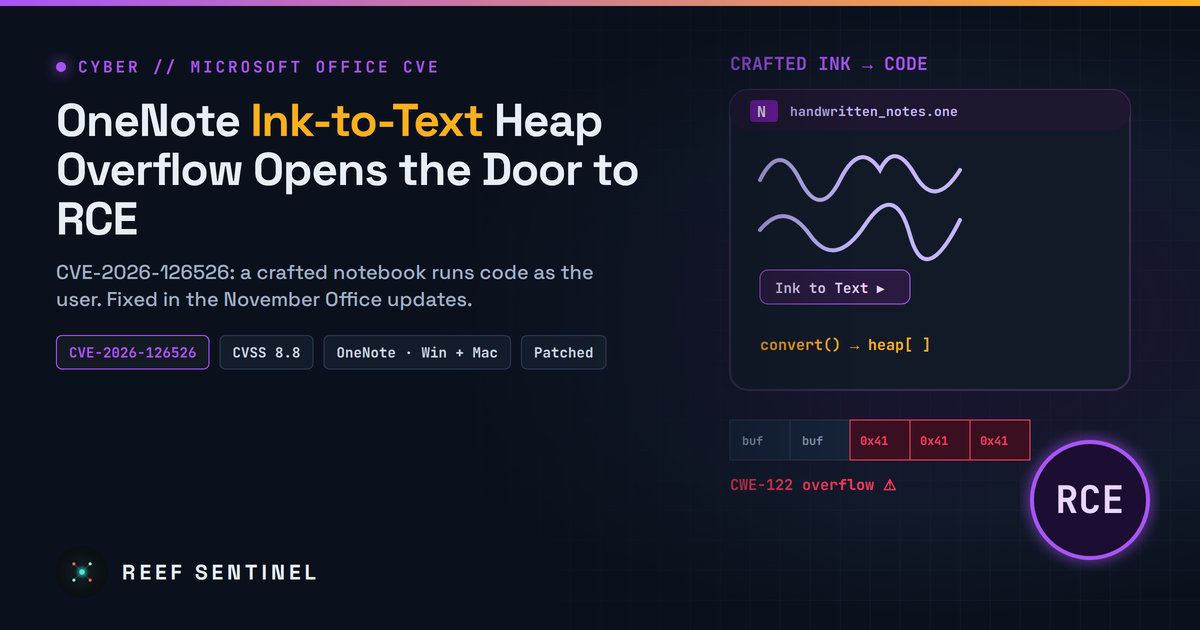
A heap-based buffer overflow in Microsoft OneNote (CVSS 8.8) lets a crafted notebook run code as the user when its ink is converted to text; silently fixed in the November 2026 Office updates and disclosed days later.
Overview
CVE-2026-126526 is a remote code execution flaw in Microsoft OneNote. It is a heap-based buffer overflow (CWE-122). To trigger it, an attacker sends a specially crafted OneNote file, and the victim opens it and converts its ink content to text. Microsoft rates the flaw Important with a CVSS 3.1 base score of 8.8 (High). Successful exploitation runs the attacker's code with the same permissions as the signed-in user.
The fix is not new. Microsoft says the bug was fixed in the November 2026 Office security updates, but the CVE was "inadvertently omitted" from the November release notes. The advisory was added afterwards, and the public CVE record appeared on 16 November 2026 at 23:27 Mauritius time (19:27 UTC). If your Office builds already include the November updates, you are protected. If Office updates are behind or deferred, this is one more reason to catch up.
- CVE: CVE-2026-126526, "Microsoft Office OneNote Remote Code Execution Vulnerability"
- Weakness: CWE-122, heap-based buffer overflow
- CVSS 3.1: 8.8 base, 7.7 temporal,
AV:N/AC:L/PR:N/UI:R/S:U/C:H/I:H/A:H/E:U/RL:O/RC:C - Microsoft severity: Important, impact Remote Code Execution
- Exploitability: not publicly disclosed before the fix, not exploited, rated "Exploitation Less Likely"
- CISA KEV: not listed. CISA's SSVC assessment: exploitation none, automatable no, technical impact total
- EPSS: about 0.85% (59th percentile) on 21 November 2026
- Fixed in: the November 2026 Office security updates (builds below)
The Vulnerability
What goes wrong
OneNote can convert handwriting and ink drawings into typed text. According to Microsoft's FAQ, the bug sits in this path: a OneNote file with malformed ink data makes OneNote write past the end of a memory buffer on the heap while it converts the ink. Heap overflows like this let an attacker overwrite nearby data in memory. With careful heap grooming, that can be turned into control of the program and code execution inside the OneNote process.
Microsoft has not published the vulnerable component or a proof of concept, and no researcher write-up has appeared. The internal details beyond "heap overflow during ink-to-text conversion" are therefore not public.
How an attack would work
- The attacker creates a OneNote file containing crafted ink content.
- The file reaches the victim by email, chat, a shared notebook or a download link. The CVSS vector says network because the file can arrive remotely. The code still runs on the victim's machine.
- The victim opens the file and runs ink-to-text conversion on the crafted content.
- The overflow happens during conversion, and the attacker's code runs as the user. From there, a typical chain would install a loader, steal browser and token data, or move on to other systems.
Why the risk is moderate rather than critical
Two user actions are needed: opening the file and converting the ink. That is more friction than a preview-pane or zero-click bug, and it explains the "Exploitation Less Likely" rating. Code also runs only with the user's rights, so it is not SYSTEM-level unless it is chained with a privilege-escalation bug. Still, OneNote files have been used before: in early 2023, .one attachments were a popular way to deliver malware in phishing campaigns, until many mail filters started blocking them. Crafted notebooks paired with a believable lure ("convert my handwritten notes") are a realistic scenario.
Affected Products and Fixed Builds
Microsoft lists these products as affected, with the fixed build for each:
- Microsoft 365 Apps for Enterprise (32-bit and 64-bit): fixed in the November 2026 channel builds, for example Current Channel Version 2610 (Build 20527.20196) and Monthly Enterprise Channel Version 2610 (Build 20527.20194), 2609 (Build 20430.20264) or 2608 (Build 20326.20320)
- Microsoft Office LTSC 2024 (32-bit and 64-bit): fixed in 16.0.17932.21140 (Version 2408)
- Microsoft Office LTSC 2021 (32-bit and 64-bit): fixed in 16.0.14334.21048 (Version 2108)
- Microsoft Office 365 for Mac, Office LTSC for Mac 2024 and Office LTSC for Mac 2021: fixed in 16.115.26110837
Semi-Annual Enterprise Channel builds from November 2026 are 2610 (Build 20527.20192), 2609 (Build 20430.20262) and 2608 (Build 20326.20318). Office 2019 and the standalone OneNote 2016 do not appear in Microsoft's affected list for this CVE.
Timeline
- 10 November 2026: Microsoft ships the November Office security updates, which already contain the fix. The release notes leave this CVE out.
- 11 November 2026, 02:07 Mauritius time (10 November, 22:07 UTC): CVE-2026-126526 is reserved.
- 12 November 2026, 00:00 Mauritius time (11 November, 20:00 UTC): the MSRC advisory date. Its revision note says the CVE "was inadvertently omitted from the November 2026 Security Updates" and that customers who already installed the updates "do not need to take any further action."
- 16 November 2026, 23:27 Mauritius time (19:27 UTC): the CVE record is published.
- 17 November 2026: CISA adds its SSVC assessment (no exploitation, not automatable, total technical impact).
- 18 November 2026: NVD finishes its analysis and confirms the 8.8 score and the affected product list.
Detection
No exploitation has been seen, so there are no public IOCs. Hunt for the behaviour instead:
- Child processes of OneNote: alert when
ONENOTE.EXEspawnscmd.exe,powershell.exe,wscript.exe,mshta.exe,rundll32.exeorregsvr32.exe. On macOS, watch for OneNote spawning shells orosascript. - OneNote crashes: repeated
ONENOTE.EXEcrashes (Windows Error Reporting / Application event ID 1000) right after a user opened an external notebook can point to failed exploit attempts. - Inbound
.one/.onepkgfiles: check mail and file-sharing logs for OneNote files from external senders. Few organisations need to receive these from outside. - Version inventory: use Intune, Configuration Manager or your EDR's software inventory to list endpoints still on Office builds older than the fixed versions above.
Recommended Actions
- Confirm the November 2026 Office update is installed on every Windows and Mac endpoint. Click-to-Run usually updates itself, but check machines whose update channel or deferral policy has kept them behind.
- Prioritise users who handle outside files, such as finance, HR, recruiting and executives, and anyone who often receives notebooks from external parties.
- Turn on the ASR rule "Block all Office applications from creating child processes" in Microsoft Defender. Microsoft's documentation says the rule covers OneNote, and it stops the most common next step after a document-based RCE.
- Block or quarantine external
.oneand.onepkgattachments at the mail gateway if your business does not need them. - Remind users: do not run "Ink to Text" on notebooks from unknown or unexpected senders, and report OneNote files that arrive with urgent instructions.
Analyst Assessment
CVE-2026-126526 is a quiet but useful reminder that Patch Tuesday release notes are not always complete. This fix shipped on time, and only the paperwork was late. Organisations that patch Office promptly need to do nothing more. Those that track remediation CVE-by-CVE against the published list may have missed it, so their vulnerability scanners and tickets could show a gap that is already fixed, or worse, miss one that is not. Exploitation needs two clear user actions and nothing is known to be in the wild, so we rate the practical risk as moderate. That could change quickly if a proof of concept appears, because OneNote files have a proven record as a phishing payload. Patch, turn on the child-process ASR rule, and move on.