Microsoft 365 Outage Passes 20 Hours: Microsoft Admits Its Fixes Were 'Not Taking as Expected', Now Restoring Service in Phases With No Fix Time
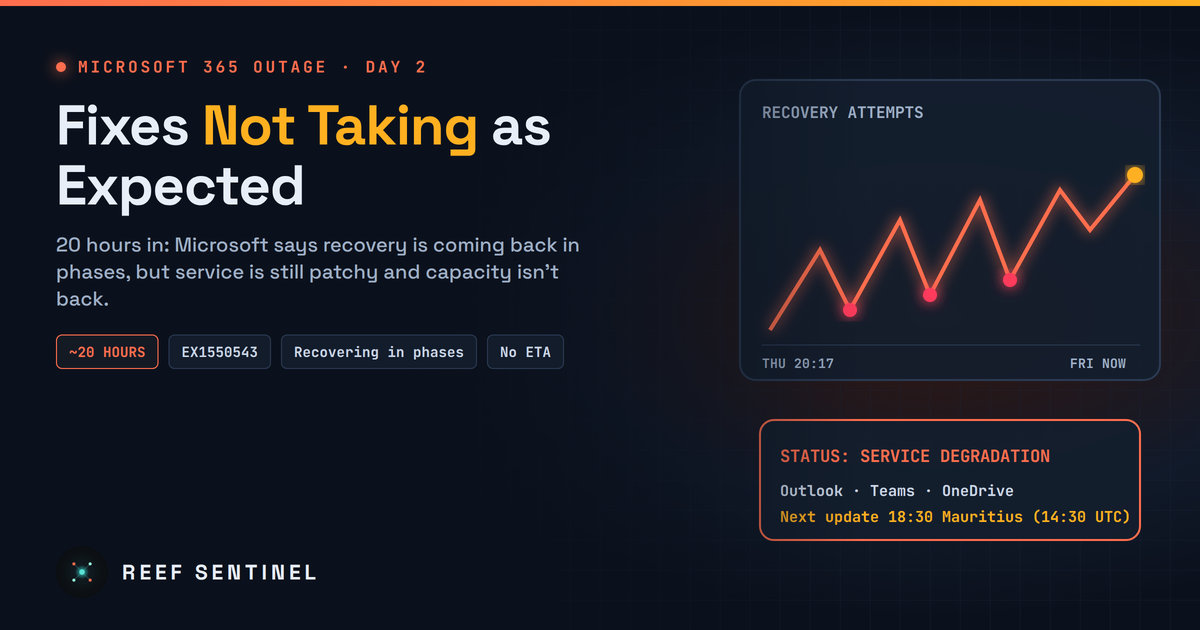
Microsoft said overnight its fixes for the EX1550543 outage were not taking as expected; by 15:11 Mauritius time it reported phased recovery and better mailbox access, but service is still variable and there is no fix time.
Where Things Stand Right Now
As of about 16:20 Mauritius time (12:20 UTC) on Friday, 13 November 2026, the Microsoft 365 outage is still not fixed. It began at 20:17 Mauritius time (16:17 UTC) on Thursday, 12 November, so it has now run for about 20 hours. Microsoft tracks it as EX1550543 (Exchange Online) and MO1550821 (the wider Microsoft 365 suite), and it has still not given a time for full recovery.
The headline from Microsoft overnight was blunt: the fixes it had applied were "not taking as expected". Since then the tone has improved, but only slightly. Microsoft now says recovery is "progressing in phases", with incremental improvement in several workloads, while warning that service health remains variable and capacity has not yet fully returned to baseline.
All times in this article are Mauritius time (UTC+4), with UTC in brackets.
What Microsoft Admitted
At 07:13 Mauritius time (03:13 UTC) on Friday, Microsoft said it had monitored the changes it applied to improve the service and confirmed they were "not taking as expected". It said it was looking for alternate workstreams to increase capacity in the face of "sustained traffic management imbalances".
That was not the first setback. On Thursday evening Microsoft had already said its actions "have not provided the anticipated relief", and that servers it brought back could become unresponsive again as soon as traffic reached them. Each fix helped some servers for a while, then the flood of reconnecting users knocked them over again.
Microsoft's Updates on Friday
- 07:13 Mauritius time (03:13 UTC): the fixes applied to improve service are confirmed as "not taking as expected"; Microsoft looks for other ways to add capacity.
- 07:48 Mauritius time (03:48 UTC): Microsoft says it is reviewing traffic flows and affected infrastructure to optimise routing and find out exactly why servers keep failing.
- 08:36 Mauritius time (04:36 UTC): it reports partial recovery in regions where it adjusted traffic protocols, redistributed traffic and applied "strategic traffic blocking".
- 10:12 Mauritius time (06:12 UTC): work continues on recovering frontend servers while further traffic optimisation is rolled out.
- 11:44 Mauritius time (07:44 UTC): Microsoft reports "positive results for service stability and increased capacity" and starts applying those actions more broadly.
- 14:28 Mauritius time (10:28 UTC): recovery is "progressing in phases", with incremental improvement in several workloads, but service health remains variable and capacity is not yet back to baseline.
- 15:11 Mauritius time (11:11 UTC): Microsoft reports additional progress, with recovery actions completed across portions of the affected infrastructure and traffic being gradually restored. It sees improvements in key scenarios, including mailbox access and delayed email processing, but says some issues remain.
- 15:55 Mauritius time (11:55 UTC): the consumer status page says recovery "is progressing" for Outlook.com, OneDrive, OneNote, Microsoft To Do, Teams and Microsoft 365 for the web. The next update is due at 18:30 Mauritius time (14:30 UTC).
Why the Fixes Kept Failing
Microsoft has not published a final root cause, but its own updates describe a chain that is hard to break:
- A network configuration change lines up with the start of the outage. Microsoft has been reverting it since early Friday.
- On affected Exchange Online servers, the process that sets up secure connections became overwhelmed, so the servers stopped answering.
- Automated health checks removed those servers from service, overloading the ones left behind.
- When Microsoft rebalanced traffic, it caused a surge of calls from its routing layer to the backend, knocking recovered servers over again.
This is why a simple restart does not work. Millions of Outlook, Teams and phone apps retry at the same moment, and every server that comes back is hit by the whole queue at once. Microsoft is now bringing capacity back region by region, and limiting traffic so recovered servers can stay up.
What Is Working and What Is Not
- Improving: mailbox access and delayed email processing, according to Microsoft's latest update. Some users report Outlook loading again, but slowly.
- Still affected: Outlook.com, Exchange Online, OneDrive, OneNote, Microsoft To Do, Teams and Microsoft 365 for the web on the consumer side, plus Exchange-dependent features in Teams, SharePoint, Copilot, Defender for Office 365, Purview and Intune for business customers.
- Mixed: Microsoft itself says service health is variable: a feature can work for a while and then fail again.
- Public reaction: on Reef Sentinel's Outage Monitor, people posting that Outlook or Teams is down peaked at around 88 posts an hour around midday, far above normal.
When Will It Be Fixed?
Microsoft has still not given a time. What we can say:
- The trend since 11:44 Mauritius time (07:44 UTC) is better than overnight, with Microsoft talking about phased recovery and traffic being restored rather than failed fixes.
- Recovery will be gradual, region by region, and service may stay patchy for hours after Microsoft declares it restored.
- Delayed emails will keep arriving after the fix, sometimes out of order.
- The next official update is due at 18:30 Mauritius time (14:30 UTC). The outage is only over when Microsoft marks EX1550543 and MO1550821 as "Service restored".
Watch Out for Outage Phishing
Outages bring scams. Expect fake "Microsoft 365 restored, sign in again to keep your mailbox" emails, fake status pages and fake IT support calls asking for passwords or MFA codes.
- Never sign in from a link in an email or SMS. Open the app or type the address yourself.
- Check the real status on Microsoft's official status page, or on Reef Sentinel's Outage Monitor.
- Nobody needs you to "re-verify" your mailbox. When service returns, your apps reconnect on their own.
What To Do Now
- Don't keep forcing restarts of Outlook and Teams on every device; let them reconnect as capacity returns.
- Use another channel (phone, SMS or a non-Microsoft chat tool) for anything urgent.
- After recovery, check for delayed or missing emails, review quarantine and delivery logs, and confirm security alerts that go to Exchange Online mailboxes were not lost.
- Keep records of the outage times and business impact for Microsoft's SLA credit process and your own incident report.
Reef Sentinel is following the outage live on its Outage Monitor and will update its coverage when Microsoft confirms the service is fully restored.