Types of Hackers Explained: White, Black, Grey, Green, Blue, Red, Purple and Yellow Hats — Plus Red, Blue and Purple Teams
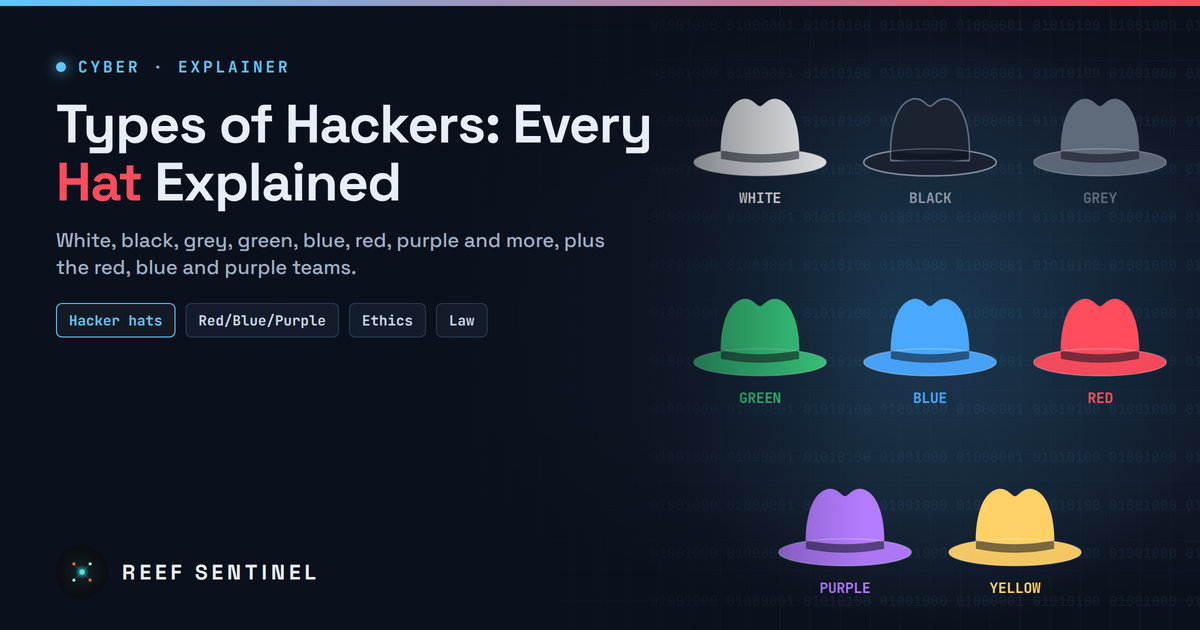
A professional guide to every hacker hat and type, from white, black and grey to green, blue, red, purple and yellow, plus hacktivists, state actors, insiders and the security team colour wheel, and why authorisation is the line that matters.
Executive Summary
"Hacker" is one of the most misunderstood words in technology. In popular culture it usually means a criminal breaking into systems. In the security industry, it describes anyone with deep technical skill in finding and exploiting weaknesses, and most of those people work to protect systems, not attack them.
To separate intent from skill, the industry uses a colour-coded vocabulary of hats. The best-known are white, black and grey, but the list has grown to include green, blue, red, purple and others. Alongside the hats, a separate set of colours describes security teams, such as red, blue and purple teams, inside organisations.
This guide explains every common label, what each type of hacker does, how the hats differ from the teams, and why, in law, the only distinction that really matters is authorisation.
Where the Hat Labels Come From
The hat terminology borrows from classic Western films, where heroes often wore white hats and villains wore black ones. The security community adopted the shorthand in the 1990s to describe a hacker's intent:
- White for those who hack to defend, with permission.
- Black for those who hack for personal gain or to cause harm.
- Grey for those in between.
Over time, more colours were added to describe motives, skill levels and roles. Some of these labels are widely recognised; others are informal and defined differently by different sources. Where definitions vary, we note it.
The Core Three: White, Black and Grey
White hat hackers
White hats, often called ethical hackers, use the same tools and techniques as criminals, but only with explicit permission and to improve security.
- What they do: penetration testing, vulnerability research, security audits, red team exercises, bug bounty hunting and responsible disclosure of flaws to vendors.
- Who employs them: security consultancies, internal security teams, governments, software vendors and bug bounty platforms.
- Defining trait: written authorisation and a defined scope. A white hat knows exactly what they are allowed to test, when and how.
- Typical credentials: certifications such as OSCP, CEH, GPEN or CREST qualifications, and practical experience from capture-the-flag (CTF) competitions and labs.
Black hat hackers
Black hats break into systems without permission for financial gain, espionage, disruption or personal satisfaction.
- What they do: deploy ransomware, steal credentials and data, run phishing campaigns, commit fraud, sell access to compromised networks and build or rent malware.
- How they operate today: modern black hat activity is heavily industrialised. Specialists sell services to each other: initial access brokers sell entry to corporate networks, ransomware developers rent their tools to affiliates, and money launderers process the proceeds.
- Defining trait: no authorisation and an intent to profit or cause harm.
Grey hat hackers
Grey hats fall between the two. They break into systems without permission, but usually without malicious intent.
- What they do: scan the internet for vulnerable systems, access them to prove a flaw exists, then notify the owner or publish the finding. Some ask for a reward afterwards.
- Why it is controversial: good intentions do not make unauthorised access legal. In most countries, accessing a system without permission is a criminal offence regardless of motive. Organisations also cannot tell, in the moment, whether an intruder is a well-meaning grey hat or the first stage of a real attack.
- Defining trait: no authorisation, but no intent to harm.
The Extended Hats
As the community grew, new colours appeared to describe other kinds of hacker. These labels are less formal, and definitions vary.
Green hat hackers
Green hats are newcomers to hacking who are still learning.
- What they do: study tutorials, practise in labs and CTF platforms, join forums and experiment with tools.
- Why they matter: green hats are the talent pipeline for the security industry. With guidance, they become white hats. Without it, curiosity can lead them into illegal activity, sometimes without fully understanding the consequences.
- How they differ from script kiddies: green hats want to understand how things work. Script kiddies (see below) simply run other people's tools.
Blue hat hackers
The term "blue hat" has two common and very different meanings:
- Invited outside testers. Microsoft popularised this sense with its BlueHat security conference, which brings external researchers together with its engineers. In this meaning, a blue hat is an outside security professional invited to test software, often before it is released.
- Revenge hackers. In informal use, a blue hat is someone who hacks to get back at a specific person or organisation that wronged them, with little interest in hacking beyond that goal.
Context usually makes clear which meaning is intended.
Red hat hackers
Red hats are often described as vigilantes who target black hat hackers.
- What they do: attack criminals' infrastructure, disrupt botnets, take down malicious servers or leak attackers' data, often using aggressive techniques.
- Why it is controversial: red hats act without legal authority. Their actions can destroy evidence that law enforcement needs, hit innocent systems that criminals have hijacked, and expose the red hat to prosecution.
- Not to be confused with: red teams, which are authorised professionals simulating attacks (see below), or the software company of the same name.
Purple hat hackers
Purple hats are commonly described as hackers who practise on their own systems.
- What they do: build home labs, attack their own machines to learn, then defend them, combining offensive and defensive skills.
- Relationship to purple teams: the label overlaps with the idea of the purple team, which combines red team (attack) and blue team (defence) knowledge in an organisation.
Yellow hat hackers
The yellow hat label is informal and inconsistent. Some sources use it for hackers who focus on taking over social media accounts, often for harassment or revenge. In the security colour wheel described below, yellow refers instead to builders, the developers and architects who create systems. Treat the hat meaning with caution.
Beyond Hats: Other Types of Hackers
Several other labels describe hackers by motive, sponsor or skill rather than by colour.
- Script kiddies: inexperienced individuals who use ready-made tools, exploits or attack services without understanding how they work. They are often responsible for DDoS attacks, website defacements and opportunistic intrusions. Low skill does not mean low impact: widely available tools can cause serious damage.
- Hacktivists: hackers motivated by political, social or ideological causes. They deface websites, leak documents, launch DDoS attacks against governments or companies, and dox opponents. Anonymous is the best-known example. Some "hacktivist" groups are now fronts for state operations.
- State-sponsored hackers: teams working for or on behalf of governments, often tracked by researchers as advanced persistent threat (APT) groups. They conduct espionage, steal intellectual property, prepare sabotage of critical infrastructure and run influence operations. They are typically well funded, patient and highly skilled.
- Cybercriminals and ransomware affiliates: profit-driven black hats operating as organised businesses, with developers, affiliates, negotiators and money launderers.
- Initial access brokers: specialists who break into networks and sell that access to other criminals, especially ransomware groups.
- Insiders: employees, contractors or partners who misuse legitimate access, whether deliberately, under coercion or through carelessness. Insiders are dangerous because they bypass many perimeter defences.
- Whistleblowers: insiders who expose wrongdoing by leaking information. Their actions may be seen as heroic or criminal depending on the facts and the jurisdiction.
- Cyberterrorists: actors who use cyberattacks to cause fear, disruption or physical harm in pursuit of ideological goals, typically targeting critical infrastructure.
- Elite hackers: an informal label for the most skilled individuals in the community, often credited with discovering new techniques or zero-day vulnerabilities.
- "Suicide" hackers: an informal label for attackers who do not care about being caught or punished, often because they are motivated by a cause.
- Bug bounty hunters: independent researchers who find and report vulnerabilities through formal programmes in exchange for rewards. They are a form of white hat operating under published rules.
Hats Versus Teams: The Security Colour Wheel
Hats describe individuals and their intent. Teams describe roles inside an organisation's security programme. The two are often confused.
The core teams
- Red team: authorised professionals who simulate real attackers. They try to break in using phishing, physical intrusion, exploitation and lateral movement, to test how well the organisation can detect and respond. Red teams are white hats by intent.
- Blue team: the defenders. They monitor systems, run the security operations centre (SOC), hunt threats, respond to incidents and harden infrastructure.
- Purple team: not always a separate team, but a way of working. Red and blue teams collaborate openly: the red team shares its techniques, and the blue team tunes detections in real time. The goal is faster improvement rather than a pass-or-fail exercise.
The extended colour wheel
Security researcher April C. Wright extended these colours in a 2017 Black Hat talk, "Orange Is the New Purple", to bring software builders into security:
- Yellow team: the builders, including developers, engineers and architects who design and create systems.
- Orange team: yellow plus red. Attackers who teach builders how real attacks work, so they write more secure code.
- Green team: yellow plus blue. Defenders who help builders design in logging, monitoring and defensive features from the start.
- White team: the referees. They set the rules of engagement, oversee exercises, manage compliance and judge results. In competitions and exercises, the white team keeps the game fair and safe.
The colour wheel reflects a simple idea: security improves fastest when attackers, defenders and builders learn from each other.
Where the Lines Blur
The hat system is useful shorthand, but real people do not always fit neatly into one colour.
- People change hats. Many respected security professionals started as curious teenagers who broke rules. Some white hats have turned to crime, and some former criminals now work in defence.
- Intent is hard to prove. A scan of your network looks the same whether it comes from a grey hat researcher or a ransomware gang. Defenders must treat all unauthorised activity as hostile until proven otherwise.
- Hacktivism and state activity overlap. Some groups presenting themselves as independent activists are directed or supported by governments.
- Bug bounties formalise grey areas. Programmes with published scope and rules give researchers permission in advance, turning would-be grey hats into white hats.
- Policy is evolving. In 2022, the US Department of Justice announced it would not prosecute good-faith security research under its main computer crime law, a sign that governments are trying to distinguish genuine research from crime. Protections like this vary widely between countries and should never be assumed.
The Law Does Not Recognise Hats
The most important point for anyone interested in hacking: courts do not care about hat colours. They care about authorisation.
- Accessing a system without permission is a criminal offence in most countries, even if no damage is done and the intent was to help.
- In Mauritius, the Cybersecurity and Cybercrime Act 2021 criminalises unauthorised access to computer systems and data, along with related offences such as interception and system interference.
- Ethical hacking is legal because it is authorised: a signed contract, a defined scope, agreed rules of engagement, or a published bug bounty policy.
- If you find a vulnerability by accident, report it through the organisation's official channel or vulnerability disclosure policy, do not access more data than necessary, and do not demand payment.
Becoming a White Hat
For readers interested in a career in ethical hacking:
- Learn the foundations: networking, operating systems (especially Linux and Windows), scripting and how web applications work.
- Practise legally: use deliberately vulnerable labs and online training platforms, home labs and CTF competitions.
- Earn recognised credentials: entry-level security certifications first, then hands-on offensive certifications as skills grow.
- Join bug bounty programmes: start with programmes that welcome beginners and read their rules carefully.
- Build a reputation: write up findings, contribute to open-source security tools and join local security communities.
- Choose a path: offensive roles (penetration tester, red teamer), defensive roles (SOC analyst, threat hunter, incident responder) or builder roles (application security, security engineering).
Quick Reference
- White hat: authorised, ethical hacker who finds and fixes weaknesses.
- Black hat: criminal hacker acting for profit, espionage or harm.
- Grey hat: unauthorised but usually not malicious; often reports flaws afterwards.
- Green hat: beginner still learning the craft.
- Blue hat: invited outside tester, or informally, a revenge-driven hacker.
- Red hat: vigilante who attacks black hats without legal authority.
- Purple hat: hacker who practises attack and defence on their own systems.
- Yellow hat: informal label for social media account hijackers; in team terms, yellow means builders.
- Script kiddie: unskilled user of ready-made attack tools.
- Hacktivist: hacker driven by political or social causes.
- State-sponsored hacker: government-backed attacker, often part of an APT group.
- Insider: someone misusing legitimate access from within.
- Red, blue, purple, yellow, orange, green and white teams: organisational security roles covering attack simulation, defence, collaboration, building, secure development, defensive design and oversight.
Analyst Assessment
The hat vocabulary has lasted because it captures something real: the same skills can protect or harm, and intent matters. But it also oversimplifies. In practice, three factors decide where someone stands: authorisation, intent and impact.
We expect three trends to shape this landscape:
- The black hat economy will keep specialising, with more services for hire and AI tools lowering the skill needed to launch attacks, which blurs the line between script kiddies and capable criminals.
- State and hacktivist activity will continue to merge, making attribution harder and raising the stakes of politically motivated attacks.
- Legitimate pathways will expand, through bug bounties, vulnerability disclosure policies and legal protections for good-faith research, giving skilled hackers more ways to work on the right side of the law.
For organisations, the lesson is practical: invest in white hats, red teams and purple teaming before black hats test you for free. For individuals drawn to hacking, the lesson is simpler: whatever colour you think your hat is, get permission first.
Sources
- Orange Is the New Purple: How and Why to Integrate Development Teams with Red/Blue Teams (April C. Wright, Black Hat USA 2017, slides)
- Microsoft BlueHat security conference (Microsoft Security Response Center)
- Justice Department Revises Cyber Crime Charging Policy to Shield Good-Faith Security Research (Morrison Foerster)
- Cybersecurity and Cybercrime Act 2021 (Mauritius, official text)
- CERT-MU, Computer Emergency Response Team of Mauritius