Apache Shiro CVE-2026-129349 (CVSS 9.1): LDAP Realm Accepts Any Password Once Auth Caching Is On — Eight Flaws Fixed, Update to 3.0.2
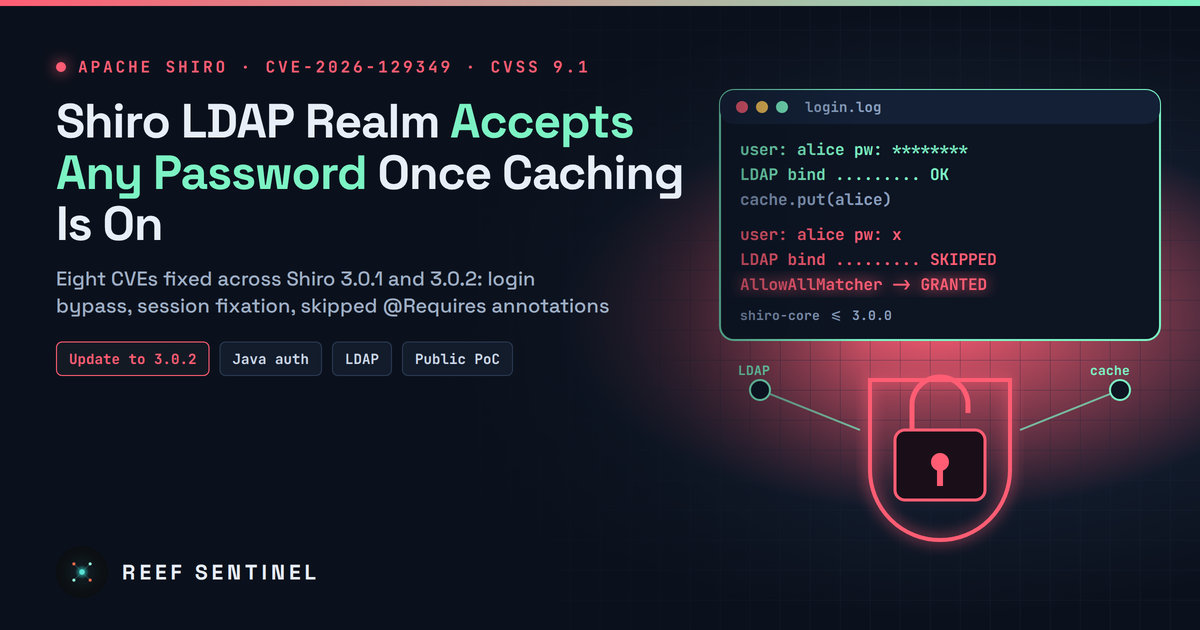
Apache Shiro's LDAP realm lets anyone who knows a valid username log in with any password when authentication caching is enabled, one of eight flaws fixed in Shiro 3.0.1 and 3.0.2, with a public proof-of-concept lab already online.
What Happened
The Apache Shiro project has published eight security advisories in one batch for its widely used Java security framework. The most serious one is CVE-2026-129349 (CVSS 4.0 score 9.1, critical). In a specific but realistic setup, Shiro's LDAP realm will accept any password for a user who has already logged in once.
The advisories went out on the oss-security mailing list at 09:37 Mauritius time (05:37 UTC) on Saturday 14 November 2026. The CVE record and the NVD entry for CVE-2026-129349 followed on 15 November. The fixes are split across two releases:
- Shiro 3.0.1 fixes the LDAP bypass (CVE-2026-129349) and a RememberMe session fixation bug (CVE-2026-74762).
- Shiro 3.0.2 fixes the other six, including a flaw where
@RequiresRolesand@RequiresPermissionsannotations are not always enforced (CVE-2026-74763).
Both versions are on Maven Central. The simplest action for every Shiro user is to move straight to 3.0.2.
There are no reports of exploitation in the wild, and none of the flaws is in CISA's Known Exploited Vulnerabilities catalog. However, a public GitHub repository now offers a Docker lab and a proof-of-concept driver that runs Shiro 3.0.0 against an in-memory LDAP directory to show the bypass. Anyone can now reproduce the bug.
Technical Details: CVE-2026-129349
Shiro's DefaultLdapRealm normally proves a password by binding to the LDAP directory with the credentials the user typed. If the bind succeeds, the password is right. Because the directory does the real check, the realm installs AllowAllCredentialsMatcher by default. That matcher does no checking of its own and approves whatever it is given.
The problem appears when an administrator turns on authentication caching (authenticationCachingEnabled = true) on DefaultLdapRealm or JndiLdapRealm, usually to reduce load on the directory server. According to the vendor advisory:
- After a user's first successful login, Shiro caches that user's authentication info.
- Later logins for the same username are served from the cache, and the LDAP bind is skipped.
- With no bind, the only remaining check is
AllowAllCredentialsMatcher, which accepts any credentials.
As a result, an attacker who knows a valid username, such as an email address, an employee ID or admin, can log in as that user with any password, as long as the user's entry is still in the cache. The CVSS vector reflects this: network attack, low complexity, no privileges, no user interaction, high impact on confidentiality and integrity. The "attack requirements present" flag (AT:P) records the precondition that caching must be enabled.
Caching is off by default, which limits how many systems are affected. Even so, caching LDAP lookups is a common performance tweak in enterprise single sign-on, admin consoles and internal portals, which are exactly the applications that use LDAP-backed Shiro. Shiro 3.0.1 removes the default AllowAllCredentialsMatcher from the realm.
The Other Seven Flaws
None of the rest is critical, but several affect authentication or authorization:
- CVE-2026-74763 (medium, 6.3), annotations not enforced: in
shiro-guice,shiro-aspectj,shiro-cdiandshiro-jakarta-ee, authorization annotations declared on an interface were not enforced. In Guice and AspectJ, annotations on a class or superclass were also sometimes missed. An unauthorized caller could invoke a method the developer believed was protected. Fixed in 3.0.2, where the annotation closest to the invoked method now takes precedence. - CVE-2026-74762 (medium, 5.9), session fixation with RememberMe: when a user was restored from a RememberMe cookie, Shiro kept the existing session instead of issuing a new session ID. It also accepted session IDs from the URL even when URL rewriting was disabled. Fixed in 3.0.1.
- CVE-2026-88019 (medium, 6.0), saved form replay: in the Jakarta EE integration, forms that Shiro saves and resubmits after login (enabled by default) could lose cookie attributes such as
SecureandSameSite, and the form data could be sent to an untrusted host. Fixed in 3.0.2, which no longer replays forms over the network. - CVE-2026-129347 (low), empty password matches empty credential:
DefaultPasswordServiceandSimpleCredentialsMatchercould accept an empty password for an account whose stored credential is empty. - CVE-2026-129348 (low), stale PropertiesRealm data: when the properties file is reloaded, deleted users and narrowed permissions could stay in effect until a restart.
- CVE-2026-129320 (low), XSS in principal tags: the
shiro:principaltags in Jakarta Pages and Jakarta Faces did not escape their output. - CVE-2026-114737 (low), incomplete earlier fix: the fix for CVE-2026-23903 missed
ShiroFilterFactoryBeaninstances that applications create by hand. These still match paths case-sensitively, which can expose static files on case-insensitive filesystems. Applications that let the Shiro Spring Boot starter create the bean are not affected.
AI Found Part of the Batch
The credits stand out. Two of the low-severity issues, the principal-tag XSS and the empty-password match, are credited to the Apache Software Foundation itself, which found them with LLM-based security scanning ("Claude agents" in the XSS advisory) and then had the Shiro team validate them. The critical LDAP bug is credited to researcher Joshua Rogers, who also appears on four other advisories in the batch. Shiro maintainer Lenny Primak developed all of the fixes.
This is the latest example of open-source projects receiving a wave of reports from AI-assisted code review. Most findings are minor. This time, the same audit cycle also produced a 9.1 authentication bypass.
Who Is Affected
- Any application using Shiro up to and including 3.0.0 with
DefaultLdapRealmorJndiLdapRealmandauthenticationCachingEnabled=true: critical, so patch first. - Applications using RememberMe (sessions), or the Guice, AspectJ, CDI or Jakarta EE integrations with interface- or superclass-level authorization annotations: medium.
- Shiro is often bundled inside other products, such as admin dashboards, middleware and appliances, so you may run it without knowing. Check your software bill of materials or dependency tree for
org.apache.shiro.
What To Do Now
- Upgrade every Shiro module to 3.0.2 (it contains the 3.0.1 fixes as well). Keep all
shiro-*artifacts on the same version. - Find affected configurations quickly:
# Which Shiro version is on the classpath?
mvn dependency:tree | grep org.apache.shiro
./gradlew dependencies | grep org.apache.shiro

# Is LDAP auth caching enabled anywhere?
grep -RniE "authenticationCachingEnabled|LdapRealm" --include=*.ini --include=*.java --include=*.xml --include=*.properties --include=*.yml .- If you cannot upgrade yet, disable authentication caching on the LDAP realm, or set a real credentials matcher such as
SimpleCredentialsMatcherso cached logins are checked against the cached credentials. - For the annotation flaw, the vendor's workaround is to put
@RequiresRoles/@RequiresPermissionsdirectly on each protected implementing method. - Review authentication logs for LDAP-backed apps: look for successful logins that follow failed attempts from unfamiliar IP addresses, or one account logging in from several places at once. Consider ending all active sessions after you patch.
- If a vendor product ships Shiro, ask the vendor for its patched build.
Why It Matters
Shiro has a long history of serious bugs, from the RememberMe deserialization flaw (Shiro-550) to repeated path-matching bypasses, and it is still embedded in many enterprise Java products. CVE-2026-129349 needs an opt-in setting to be dangerous. But a bug that turns "log in as anyone whose username you know" into a single request, with a public lab to practise on, is the kind that gets weaponized against internet-facing admin panels. If LDAP caching is enabled anywhere in your environment, treat this as urgent.