tcherber Sells FortiGate VPN Access: 500+ Stolen Logins, a Go Recon Toolkit and Rust HVNC, Stealer and ENIGMA Ransomware Tied to One Operator, With 178 Bots Still Live
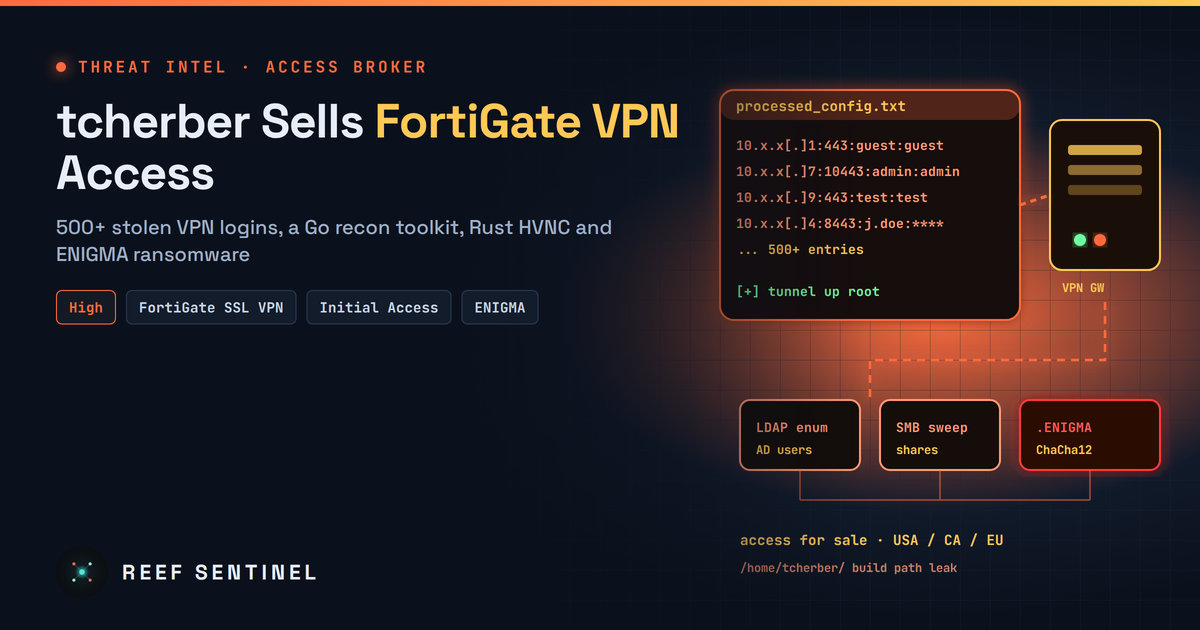
Researchers expose a Russian-speaking access broker whose leaked files hold 500+ FortiGate VPN credentials, an automated Go VPN-and-AD recon toolkit, and Rust stealer, HVNC and ENIGMA ransomware run from a still-active panel.
Overview
Security researchers published a detailed report on 17 November 2026 about a Russian-speaking operator called tcherber who runs two businesses at once: selling access to corporate networks through stolen or guessed FortiGate SSL VPN logins, and building malware for sale. The operator's own exposed files included a Go toolkit that automates VPN logins and internal reconnaissance, a database of more than 500 FortiGate VPN credential entries, and logs showing successful tunnels into several victim networks in May and June 2026.
The same operator is tied to a set of Rust tools: a loader, an information stealer, a hidden-desktop (HVNC) remote access implant and a ransomware strain called ENIGMA Locker. An unauthenticated control panel run by the operator showed 178 active infected machines at the time it was examined, with new agent builds dated September 2026. The researchers say the infrastructure was still live when they wrote the report.
There is no new FortiGate vulnerability here. The way in is weak and reused VPN credentials, which makes this a configuration and identity problem that every FortiGate owner can check today.
The Campaign
The Go toolkit is a small attack framework. An orchestrator (labelled v2.2, "DEBUG MODE") chains these modules:
- A FortiGate VPN client built on OpenConnect, plus a SonicWall client built on NetExtender
- A route and DNS parser that learns the internal network layout once the tunnel is up
- LDAP queries to enumerate Active Directory
- SMB share and host discovery, SMB credential checks and remote execution in the style of NetExec
- A port scanner and a reporting module that collects the results
The credential file stores entries as ip:port:login:password across several countries. It mixes default pairs such as guest/guest, admin/admin and test/test with organisation-specific passwords. That points to two sources: brute-forcing and credentials taken from earlier dumps. A separate list targeted SonicWall devices, but every intrusion documented in the logs involved FortiGate.
On a Russian-language forum, the operator advertised access to victims in the USA, Canada and Europe, priced by company revenue (above or below $10 million) and by organisation type, and explicitly excluded CIS countries. The report does not name the victims or their sectors.
Timeline
- October–November 2025: Timestamps on the Go toolkit's source files; the route parser was last changed on 19 November 2025.
- May–June 2026: VPN logs show multi-hour, root-level tunnels into several victim environments.
- September 2026: Fresh agent builds appear on the operator's control panel.
- 13 November 2026: Researchers capture the panel showing 178 active bots.
- 17 November 2026: The report is published; the infrastructure is still described as active.
Tradecraft
The attribution rests on careless build hygiene. Rust panic strings in the payloads leaked the build path /home/tcherber/, and the Go toolkit points to a Go 1.25.3 toolchain under the same home folder. Earlier public research had already tied that path to the Zer0day Stealer, HVNC tooling and ENIGMA Locker.
The malware chain the researchers analysed works like this:
- Delivery: A fake Windows Update installer stages a PowerShell script and a batch file in
C:\Users\Public, adds that folder to Microsoft Defender exclusions, and downloads a payload disguised as a certificate. certutil decodes it into a fakesvchost.exe. Short-lived scheduled tasks (S0, MU) run each step and are then deleted. - Loader: The Rust loader scores the machine for sandbox signs (low CPU count, RAM or disk, analysis tools, usernames such as "sandbox"). It maps payloads into its own memory and sets a Run key called SecurityHealth for persistence.
- Stealer: Takes browser cookies and passwords, email, FTP, messaging, VPN and crypto wallet data, files and screenshots. It sends them to a Telegram bot and to
/api/stealer/reporton the operator's server. - HVNC implant: Turns off AMSI and ETW by patching them in memory, bypasses UAC through fodhelper, and sets persistence via a Run key, a scheduled task and a WMI subscription, all named "WindowsUpdate". It runs browsers on a hidden desktop named
HVNC_Sessionso the operator can use the victim's logged-in sessions. - ENIGMA Locker: Deletes shadow copies, uses bcdedit to disable recovery, disables Defender and Tamper Protection through the registry, clears event logs and force-stops Hyper-V VMs. It kills 125 processes and disables 53 services (databases, Veeam, Acronis, Commvault and other backup tools, plus security products). Each file is encrypted with ChaCha12 using keys wrapped by ECIES, so only the operator's private key can recover the data. Encrypted files get the
.ENIGMAextension and a_README_ENIGMA.txtnote.
The researchers say plainly that the evidence does not prove ENIGMA Locker was deployed in the documented VPN intrusions. The ransomware is linked to the same operator, not to those specific victims.
Indicators of Compromise
93.152.223[.]30:5000— main C2 for the loader, stealer and HVNC delivery (/api/c2/heartbeat,/api/stealer/report)93.152.223[.]30:5555— HVNC C293.152.220[.]87:5000— additional C2158.94.209[.]138andhxxps://158.94.209[.]138.sslip[.]io/— control panel; payload athxxp://158.94.209[.]138/agent.exe- SHA-256 setup.exe:
6bddf59e2a5065255cfc90d2e2e66e3bfd4a7cbf4e0b6341b4da93b574cc4f53 - SHA-256 loader (svchost.exe):
7cb59abaa268ac66461447773d46bb0b0e5e2568e35e1a8f1d07ac2ec57f67a6 - SHA-256 stealer.exe:
d0f0734d4e31ec126da43a46896d0cd761e5532c0c385db6226cc5a6927d7722 - SHA-256 hvnc.exe:
278762dfc0f743216a475919bdc9ecc59735bcc247bba5b7b468fc475407ec6a - SHA-256 ENIGMA Locker:
abd43578b135df61f49844087af0b372ae10b2f27721ad6ba09710760ab0b240 - SHA-256 agent.exe:
fc4755e346c9f2fe11f4ba6546f3e8bd3b8711efbcf2e417307ea9671a93d0f3 - Ransom contact: Enigma_1[@]aol[.]com; forum: rehubcom[.]pro
Detection
On FortiGate, look in the VPN event logs for:
- Successful SSL VPN logins by accounts named guest, test or admin, or by any local account that has no MFA
- Bursts of failed logins followed by a success from the same source
- Long sessions from hosting-provider IP ranges, or logins on unusual ports
On endpoints and in the SIEM, hunt for:
- Defender exclusions for
C:\Users\Public, and executables written there (svchost.exe, stealer.exe, hvnc.exe, agent.exe) - Run values named SecurityHealth, WindowsUpdate, EnigmaUpdater, WindowsSecurityService or SystemRestoreAgent
- Scheduled tasks S0, MU, Upd or WindowsUpdate, and WMI filters or consumers named WindowsUpdateFilter or WindowsUpdateConsumer
fodhelper.exelaunched after a write toms-settingsin the registry; certutil decoding intoC:\Users\Public- Outbound traffic to the Telegram Bot API from servers or workstations that have no business reason to use it
- After VPN logins from new sources, LDAP enumeration bursts and SMB sweeps
A quick PowerShell check for the persistence names:
Get-ItemProperty 'HKCU:\Software\Microsoft\Windows\CurrentVersion\Run','HKLM:\Software\Microsoft\Windows\CurrentVersion\Run' |
  Select-Object SecurityHealth,WindowsUpdate,EnigmaUpdater,SystemRestoreAgent
Get-ScheduledTask | Where-Object TaskName -in 'S0','MU','Upd','WindowsUpdate'
(Get-MpPreference).ExclusionPath
Recommended Actions
- Audit every local VPN account on FortiGate and SonicWall. Remove guest, test and other default or shared accounts, and rotate any password that may be reused or appear in old dumps.
- Require MFA on all VPN users and move authentication to LDAPS, RADIUS or a SAML identity provider instead of local accounts. If you use remote users with MFA, turn off username case sensitivity, as Fortinet advises, so MFA cannot be bypassed.
- Tighten Fortinet's brute-force controls and restrict who can reach the portal:
config vpn ssl settings
    set login-attempt-limit 2
    set login-block-time 300
    set source-address <allowed-countries-or-hosts>
end- Limit each user to one session (
set limit-user-logins enableon the portal), and map unmatched users to a portal with every access mode disabled. - Block the IOCs above at the perimeter, and keep backups offline, because ENIGMA targets Veeam, Acronis, Commvault and Hyper-V.
- If you find a match, treat the VPN account as compromised: end its sessions, reset AD credentials reachable from that segment, and check for LDAP and SMB activity from VPN-pool addresses.
Analyst Assessment
tcherber is a mid-level actor, not an elite one. The work is reasonably capable, with fileless loading, AMSI and ETW patching and a solid ransomware design, but the operational security is poor: leaked build paths and a control panel open to anyone. The more important lesson is the business model. One person sells initial access and also supplies the tools for what happens next, and 500 VPN logins are enough to keep that model running. Default and reused credentials on edge VPNs are still one of the cheapest ways into a network. Because the panel was active in November, defenders should assume the access-selling continues. We rate this High: there is no software flaw to patch, so the fix depends entirely on credential hygiene and MFA that many organisations still lack.
Sources
- Exposing tcherber: VPN Access Brokerage, Custom Malware, & C2 Panel (Cyderes Howler Cell)
- SSL VPN security best practices — FortiOS 7.4.3 Administration Guide (Fortinet)
- Technical Tip: SSL VPN brute force or multiple unknown failed login attempt mitigation resource list (Fortinet Community)
- External Remote Services, Technique T1133 (MITRE ATT&CK)