Social Engineering Explained: How Attackers Hack People Instead of Machines, and How to Stop Them (Video)
Why attackers target people, the five psychological levers, every channel from phishing to tailgating, the deepfake and help desk cases that cost millions, and the habits and controls that stop it.
Most organisations spend their security budget on technology: firewalls, endpoint protection, encryption, patching. Attackers know this, so many of them don't try to break the technology at all. They go around it and through a person: someone in finance, the IT help desk, reception, or anyone with a password and a reason to be helpful. That is social engineering, and it is still one of the most reliable ways into a company.
Why Attackers Target People
Technical exploits are expensive. They need a vulnerability, working code and luck with timing, and they stop working once the patch lands. A convincing phone call costs almost nothing and has no patch. People are trained to be cooperative, to respect seniority and to react quickly to problems. Those are good workplace habits, and social engineers turn every one of them into an opening.
The numbers support this. Large breach studies covering 2024 found that a human action, such as clicking a link, entering a password on a fake page, approving a login prompt or making a mistake, played a part in roughly 60% of confirmed breaches. Phishing and pretexting were the main social methods. Losses reported to the FBI's Internet Crime Complaint Center reached a record $16.6 billion in 2024. Business email compromise alone accounted for about $2.77 billion across more than 21,000 complaints, and that is a crime that usually needs no malware at all, only a believable message and someone willing to act on it.
The Psychological Levers
Almost every social engineering attack pulls on one or more of five levers:
- Authority: "This is IT," "I'm calling for the CEO," "This is the bank's fraud team." People rarely question someone who sounds senior or official.
- Urgency: "It has to be done in the next 30 minutes." Time pressure stops people from checking anything.
- Fear: "Your account will be locked," "There's a legal problem," "Your payroll will fail." A frightened person acts first and thinks later.
- Trust: Attackers borrow a known name, such as a supplier, a colleague or a familiar brand, or build rapport over several harmless conversations before they ask for anything.
- Helpfulness: "Could you just…" Most people want to solve a problem for the person in front of them, especially someone who seems stressed or stuck.
The strongest attacks combine levers. A message that looks like it comes from the CFO (authority), about a confidential deal that must close today (urgency), with a warning not to discuss it (isolation), is the classic setup for payment fraud.
How It Reaches You
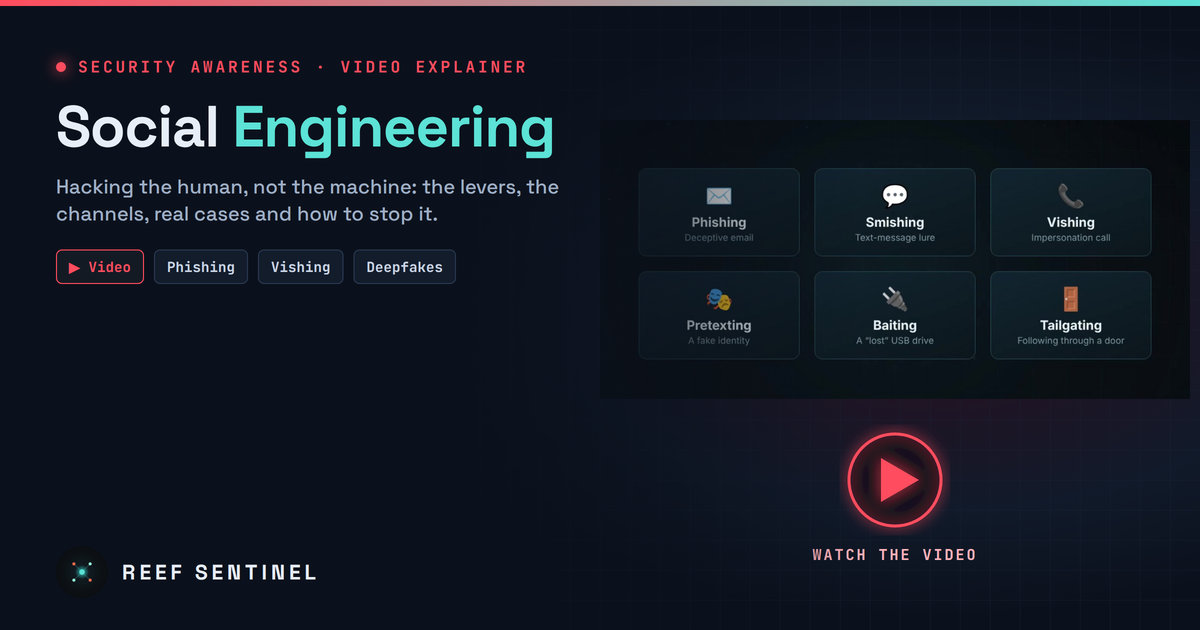
Social engineering is not only email. The same tricks arrive through several channels:
- Phishing: deceptive emails that lead to fake login pages, malicious attachments or payment requests. Targeted versions (spear phishing) use the victim's name, role and real projects.
- Smishing: text-message lures such as parcel delivery problems, bank alerts or "your account is suspended" links, written for small phone screens where it is hard to check the sender.
- Vishing: voice calls from someone pretending to be IT support, a bank or a supplier. AI voice cloning now lets attackers sound like a specific executive.
- Pretexting: a made-up identity and story, such as a new contractor, an auditor or a vendor's account manager, used to get information or access step by step.
- Baiting: something tempting left for the victim, such as a USB stick marked "Salaries 2026" in the car park or a "free download" that installs malware.
- Tailgating: physical access gained by following an employee through a secure door, often while carrying boxes or pretending to be on a phone call.
Anatomy of an Attack
Most serious social engineering incidents follow the same four steps.
- Research: The attacker collects names, roles, email formats, suppliers and internal language from public sources such as LinkedIn, company websites, press releases, job adverts and social media. Job adverts are especially useful because they often list the systems a company uses.
- Pretext: Using that research, they build a believable cover story: a help desk ticket, a supplier changing bank details, an executive travelling who needs an urgent favour.
- Contact: They reach the target through the channel that fits the story and apply authority and urgency to get past normal checks.
- Handover: The victim gives something up, such as a password, an MFA code, a password reset, a wire transfer or remote access to their screen. From there the attacker acts like a legitimate user, which makes detection far harder.
Real-World Cases
The deepfake video call. In early 2024, a finance employee at the Hong Kong office of engineering firm Arup received a message about a confidential transaction. They were then invited to a video conference in which the company's UK-based chief financial officer and several colleagues appeared to be present. All of them were AI-generated fakes. Convinced by what they saw and heard, the employee made 15 transfers to five local bank accounts, about HK$200 million (roughly US$25 million) in total. The fraud only came to light when the employee later checked with head office. Arup confirmed that "fake voices and images were used." No system was hacked. The attackers simply made the request look real.
The help desk call. In September 2023, MGM Resorts in Las Vegas suffered an attack that disrupted hotel and casino operations for days. US authorities later described how the group behind attacks of this type, known as Scattered Spider, works: they research employees, then call the IT help desk pretending to be that employee and persuade staff to reset passwords or MFA registrations. With a reset account they move into identity and cloud systems, and in some cases deploy ransomware. MGM told investors the incident would cost it about $100 million. The joint US advisory on the group was updated in 2025 and still lists help desk social engineering as a core technique.
Both cases share one feature: the security controls worked as designed, but a person was persuaded to go around them.
The Consequences
A single successful social engineering attack can lead to:
- Stolen credentials and data breaches: one captured login can open email, file shares and cloud apps.
- Fraudulent wire transfers: money sent to criminal accounts is rarely recovered unless the bank is alerted within hours.
- A ransomware foothold: many ransomware incidents start with a phished account or a help desk reset.
- Regulatory fines: a breach of personal data can trigger obligations and penalties under data protection laws, including the Mauritius Data Protection Act 2017 and the GDPR for organisations handling EU residents' data.
- Reputational damage: customers and partners judge an organisation by how it handles a breach, and trust takes far longer to rebuild than systems.
How to Protect Yourself
Individuals are the last line of defence, and a few habits stop most attacks:
- Slow down when you are rushed. Pressure is the biggest red flag. A real request can survive a five-minute check.
- Verify on a known channel. If a call, email or message asks for money, passwords or changes, contact the person using a number or address you already have, not the one in the message.
- Never share passwords or MFA codes. No legitimate IT team, bank or manager will ask for them. If someone does, it is an attack.
- Check the sender and the link before you click or reply. Look at the real email address and hover over links. Lookalike domains often differ by a single character.
- Politely challenge unfamiliar people. Ask for a badge or a name and confirm with the person they claim to be visiting. Real visitors don't mind.
How to Protect the Organisation
Awareness alone is not enough. Processes and technology should assume that someone will eventually be fooled:
- Multi-factor authentication everywhere, so a phished password alone is useless. Prefer phishing-resistant methods such as passkeys or FIDO2 security keys for administrators, finance and help desk staff, because codes and push prompts can still be relayed or approved under pressure.
- Regular awareness training and phishing simulations, short and realistic, so staff practise spotting lures before a real attacker tests them.
- Call-back and dual-approval procedures for payments, new suppliers and any change of bank details, using contact details already on file.
- Strict identity checks at the help desk for password and MFA resets: callback to a registered number, manager confirmation, or in-person or video verification against an ID for privileged accounts.
- Least privilege, so a single compromised account cannot reach everything. This limits the damage when something goes wrong.
- A no-blame reporting culture. People who report a suspicious message, or admit they clicked something, should be thanked, not punished. Fast reporting turns an incident into a near miss.
Testing the Human Layer
Firewalls and servers are tested regularly, and people should be too. An authorised social engineering assessment, using phishing campaigns, vishing calls to the help desk and physical access tests, shows where processes break before a real attacker finds out. The goal is not to catch individuals out. It is to find weak procedures, fix them and measure improvement over time.
Key Takeaways
- Social engineering targets people because it is cheaper and more reliable than breaking technology.
- Authority, urgency, fear, trust and helpfulness are the levers behind nearly every attack.
- Attacks arrive through email, text, phone, fake identities, physical bait and tailgating, and AI deepfakes now add convincing voices and faces.
- Individuals should slow down, verify on a known channel and never share passwords or codes.
- Organisations should combine phishing-resistant MFA, verification procedures, least privilege, training and a culture where reporting is rewarded.