Does Working With AI Really Make You More Efficient? What the Research Shows
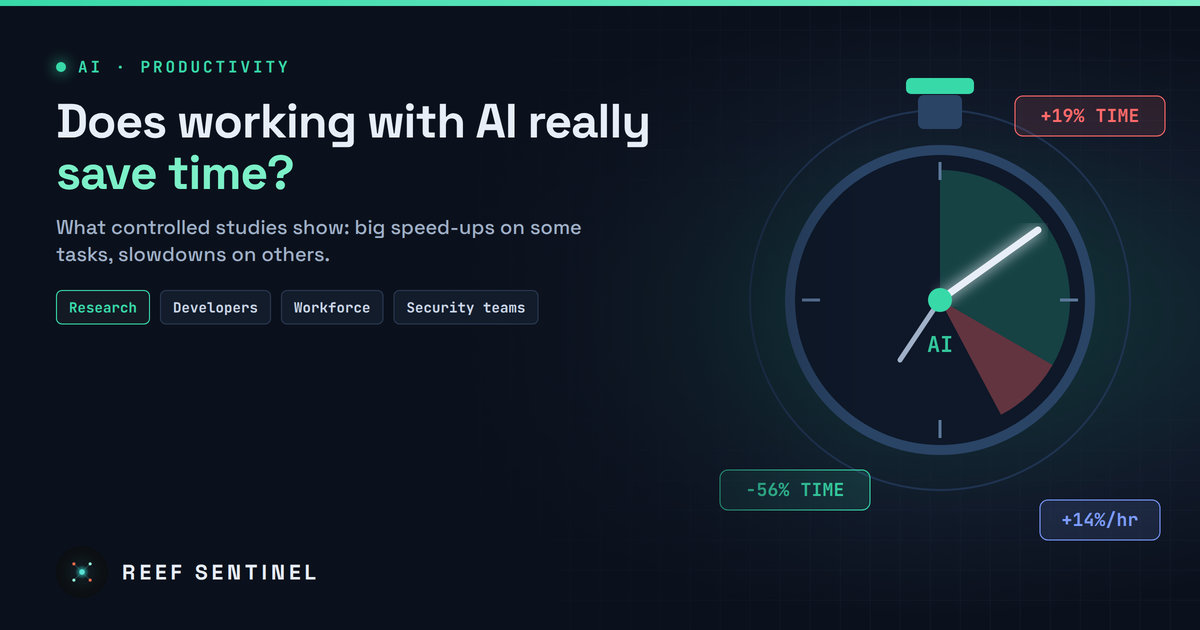
Controlled studies show AI can cut task time by 25-56% on well-defined work, yet slow experts down and deliver only modest gains across whole jobs.
Ask anyone who uses an AI assistant every day whether it saves them time and most will say yes, without hesitation. Ask the researchers who have actually put a stopwatch on it and the answer becomes far more interesting: sometimes AI makes work dramatically faster, sometimes it makes no measurable difference, and in a few well-documented cases it makes skilled people slower while they feel faster.
The honest answer to "is working with AI more efficient?" is: it depends on the task, the person, and how the output is checked. Here is what the evidence actually shows.
The Case For: Large, Measurable Speed-Ups
The strongest positive results come from controlled experiments on well-defined tasks.
In one of the earliest randomized experiments with an AI coding assistant, professional developers were asked to build a small HTTP server in JavaScript as quickly as possible. The group with the assistant finished the task about 56% faster than the group without it.
In a large field study of more than 5,000 customer support agents who were given a generative AI assistant in a staggered rollout, the number of issues resolved per hour rose by about 14% on average. The gains were heavily uneven: novice and lower-skilled agents improved by around 34%, while the most experienced agents saw little change. The researchers' explanation is that the tool effectively spread the habits of the best agents to everyone else. Customer sentiment improved and staff turnover fell.
A field experiment with more than 750 management consultants found something similar. On tasks that sat comfortably within what the model could do, consultants using GPT-4 completed about 12% more tasks, finished roughly 25% faster, and produced work rated about 40% higher in quality. Again, the weakest performers gained the most.
The Catch: The "Jagged Frontier"
The same consulting study contained a warning. On a task deliberately chosen to fall just outside the model's capabilities, one that looked similar but required careful reasoning over subtle evidence, consultants using AI were about 19 percentage points less likely to reach the correct answer than those working alone. The output looked confident and polished, so people trusted it.
Researchers called this the "jagged technological frontier": AI is excellent at some tasks and quietly wrong at others that look almost identical, and the boundary is not obvious from the outside. Efficiency gains on one side of the line can turn into costly errors on the other.
When Experts Get Slower
The most surprising result came from a randomized trial of 16 experienced open-source developers working on 246 real tasks in large, mature codebases they knew intimately. Each task was randomly assigned to allow or forbid AI tools.
Before starting, the developers predicted AI would cut their completion time by 24%. Afterwards they believed it had saved them about 20%. The measured result: tasks where AI was allowed took 19% longer.
The likely reasons are familiar to anyone who has worked with these tools: time spent prompting, waiting, reviewing and correcting suggestions, and the fact that an expert who already knows a codebase deeply has less to gain from a tool that does not. The researchers were careful to say this does not mean AI never helps developers, only that early-2025 tools did not speed up this particular group in this setting.
A follow-up running from August 2025 with 57 developers and more than 800 tasks pointed the other way, with estimated time savings of about 18% for returning developers and 4% for new ones. But the confidence intervals for both groups include zero, and the researchers themselves treat the numbers as unreliable. The reason is telling: a growing number of developers refused to take part because they did not want to work without AI, and participants held back tasks they expected AI to handle well. The study is now being redesigned.
The Wider Workforce: Smaller Gains Than the Headlines
Lab experiments measure individual tasks. Economy-wide data measures whole jobs, and the picture there is much more modest.
A study linking survey responses to administrative records for around 25,000 workers in 11 AI-exposed occupations in Denmark found that chatbot users reported saving only about 2.8% of their working hours on average, roughly one hour in a 40-hour week. Over 2023 and 2024 the researchers found no significant effect on earnings or recorded hours in any occupation. Gains were noticeably larger where employers actively encouraged AI use and trained staff to use it.
The gap between big lab results and small workforce results is not a contradiction. Experiments tend to test exactly the tasks where AI shines, such as writing, summarising and boilerplate code. A real job is a mix of meetings, judgement calls, coordination and work the tools barely touch.
The Hidden Cost: "Workslop"
Time saved by one person can be time lost by another. A survey of 1,150 full-time US desk workers found that about 40% had received "workslop" in the previous month: AI-generated content that looks like finished work but lacks the substance to actually move a task forward.
Recipients said each instance took close to two hours to deal with, whether by decoding it, fixing it or redoing it, and that it lowered their trust in the colleague who sent it. The researchers estimated the cost at more than $9 million a year in lost productivity for an organisation of 10,000 people. An email drafted in 30 seconds is not efficient if three colleagues spend an hour working out what it means.
Why This Matters for Security Teams
Cybersecurity work sits squarely on the jagged frontier. AI is genuinely useful for summarising long advisories, drafting detection rules, explaining unfamiliar code, triaging noisy alerts and writing first-draft reports. It is far less reliable for judging exploitability, attributing activity, or deciding whether a subtle anomaly is malicious. A confident but wrong answer there costs far more than the minutes it saved.
The consistent finding that less experienced staff gain the most also cuts both ways. AI can help junior analysts work closer to the level of senior colleagues, but only if someone experienced is still checking the output.
How to Actually Get the Efficiency Gains
- Measure, don't assume. Developers in the slowdown study were sure they had sped up. Track real cycle times, ticket throughput or rework, not impressions.
- Pick the right tasks. Use AI first for drafting, summarising, translating, boilerplate and search-style questions, where results are easy to verify.
- Keep humans on judgement calls. Treat AI output on complex reasoning, unfamiliar evidence or high-stakes decisions as a draft to challenge, not an answer.
- Train people. Gains were consistently larger where organisations taught staff how and when to use the tools.
- Don't export the cost. Review AI-generated work before sending it on. If the reader has to fix it, no time was saved.
- Protect your data. Efficiency is worthless if confidential code, logs or customer data end up in an unapproved tool. Use approved, enterprise-governed assistants.
The Bottom Line
Working with AI can be dramatically more efficient. Speed-ups of 25% to 55% are well documented on focused, well-defined tasks, especially for less experienced workers. But those gains are not automatic. For experts on complex work they can disappear or even reverse. Across whole jobs they are currently measured in single-digit percentages. And sloppy use can quietly push the cost onto colleagues.
The teams that benefit most treat AI as a powerful but fallible assistant: they use it where it is strong, verify everything that matters, and measure the results rather than trusting the feeling of being faster.
