Outlook Zero-Day CVE-2026-124194 Exploited in the Wild: A Crafted Message File Leaks Your NTLMv2 Password Hash Without a Warning
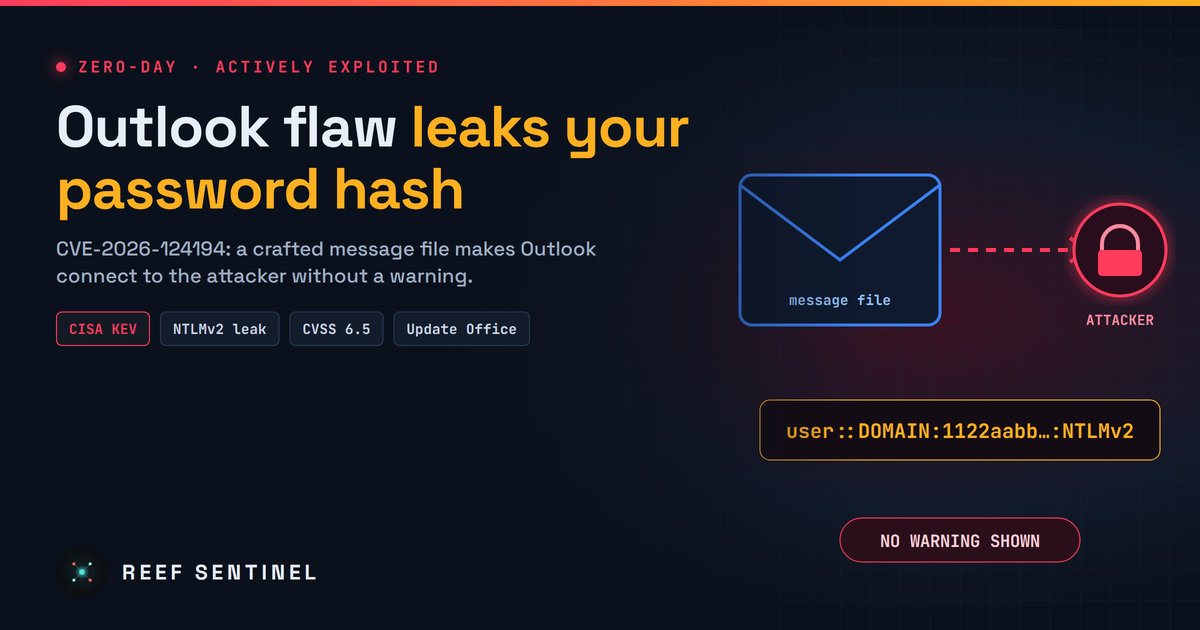
Microsoft patched an actively exploited Outlook flaw that makes a crafted message file silently connect to an attacker's server and leak the user's NTLMv2 hash; CISA added it to KEV with a 24 November deadline.
What happened
Microsoft has patched an Outlook zero-day that attackers are already using. Tracked as CVE-2026-124194, the flaw lets a booby-trapped message file make Outlook silently connect to an attacker's server, leaking the victim's NTLMv2 password hash along the way.
The fix shipped in Microsoft's November 2026 Patch Tuesday on 10 November, where it was the only vulnerability marked "Exploitation Detected". The same day, CISA added it to its Known Exploited Vulnerabilities (KEV) catalog and gave U.S. federal agencies until 24 November 2026 to patch.
The vulnerability
- CVE: CVE-2026-124194
- Type: spoofing, "product UI does not warn user of unsafe actions" (CWE-356)
- CVSS 3.1: 6.5 (AV:N/AC:L/PR:N/UI:R/S:U/C:H/I:N/A:N)
- Microsoft severity: Moderate
- Status: exploited in the wild, listed in CISA KEV
- Affected: Microsoft 365 Apps for Enterprise, Office LTSC 2021 and Office LTSC 2024 (see the table below)
Microsoft does not say who is exploiting it or against whom. CISA lists its use in ransomware campaigns as "unknown".
Affected versions
Microsoft lists these products as affected. Any build lower than the fixed build is vulnerable:
- Office LTSC 2021 (32-bit and 64-bit): fixed in build 16.0.14334.21048
- Office LTSC 2024 (32-bit and 64-bit): fixed in build 16.0.17932.21140
- Microsoft 365 Apps for Enterprise (32-bit and 64-bit): fixed in the November 2026 security release of each update channel (Current, Monthly Enterprise and Semi-Annual Enterprise). Microsoft publishes the exact build per channel on its Microsoft 365 Apps security updates page.
Not listed as affected: Outlook 2016, Outlook 2019 and the new Outlook for Windows do not appear in Microsoft's affected products for this CVE.
How to check your version: in Outlook, go to File → Office Account → About Outlook. The version and build number are shown at the top. Office LTSC builds look like "16.0.14334.xxxxx" (2021) or "16.0.17932.xxxxx" (2024); compare them with the fixed builds above. For Microsoft 365 Apps, compare your channel and build with Microsoft's November 2026 security release list.
How the attack works
Microsoft describes the attack in three steps:
- An unauthenticated attacker sends a specially crafted message file to the victim, for example as an email attachment or a download.
- The victim opens the file in Outlook. The Preview Pane is not an attack vector: the file has to be opened.
- Outlook connects to a network location the attacker controls without showing the usual external-content warning. That connection hands over the user's NTLMv2 hash.
The bug is not in the connection itself but in the missing warning. Outlook normally asks before loading content from outside sources; with this flaw, it skips the question.
Why a "Moderate" bug is dangerous
The 6.5 score undersells it. An NTLMv2 hash is a password in disguise, and attackers have two well-known ways to use it:
- Crack it offline. Weak or reused passwords fall quickly to modern GPU cracking, giving the attacker the plain-text password.
- Relay it. In an NTLM relay attack, the captured authentication is forwarded in real time to another server, such as file shares, Exchange, AD Certificate Services or LDAP, that accepts NTLM without signing. The attacker logs in as the victim without ever knowing the password.
Microsoft says the hash "could be used to authenticate as the user", which is exactly what these techniques do. Outlook NTLM leaks have been abused before by state-backed groups to break into government and corporate networks, which is why defenders treat them as high priority whatever the CVSS score.
How to fix it
Update Microsoft Office. The fix is in the November 2026 security updates for Microsoft 365 Apps for Enterprise and Office LTSC 2021 and 2024.
- Microsoft 365 Apps update automatically from the Office CDN. To force it, open any Office app and go to File → Account → Update Options → Update Now, then restart Outlook.
- Managed fleets (Intune, Configuration Manager, WSUS) should push the November Office updates now and check that the update channel has picked them up.
Reduce the damage even before patching
- Block outbound SMB (TCP 445) to the internet at the perimeter firewall. Most NTLM leaks to outside servers ride on SMB.
- Add privileged and sensitive accounts to the Protected Users group. Members can't use NTLM authentication at all.
- Restrict outgoing NTLM with the Group Policy setting "Network security: Restrict NTLM: Outgoing NTLM traffic to remote servers", starting in audit mode.
- Enforce SMB signing and LDAP signing/channel binding, and turn on Extended Protection for Authentication on Exchange and AD CS, so relayed hashes are rejected.
- Warn users not to open unexpected message files, especially ones arriving as attachments.
How to tell if you were targeted
- Look for outbound SMB (445) or WebDAV connections from workstations to internet IP addresses, especially right after a user opened an email attachment.
- Watch for NTLM authentication from unusual locations: Event ID 4624 with logon type 3 and NTLM as the package, from hosts that normally use Kerberos.
- Hunt for message-file attachments in your mail gateway logs from recent weeks.
Bottom line
CVE-2026-124194 needs a user to open a file, but it is already in use, and the payoff is a credential that can be cracked or relayed to take over an account. Update Office today, block outbound SMB at the edge, and put your admins in Protected Users.
