Ethersphere's bee-js 13.3.0 and Swarm Desktop 0.56.2 Shipped a Wallet Stealer and Backdoor After Attackers Hijacked the Release Pipeline
DevSecOps · 2026-11-10 · By H.A

Ethersphere's bee-js 13.3.0 and Swarm Desktop 0.56.2 Shipped a Wallet Stealer and Backdoor After Attackers Hijacked the Release Pipeline

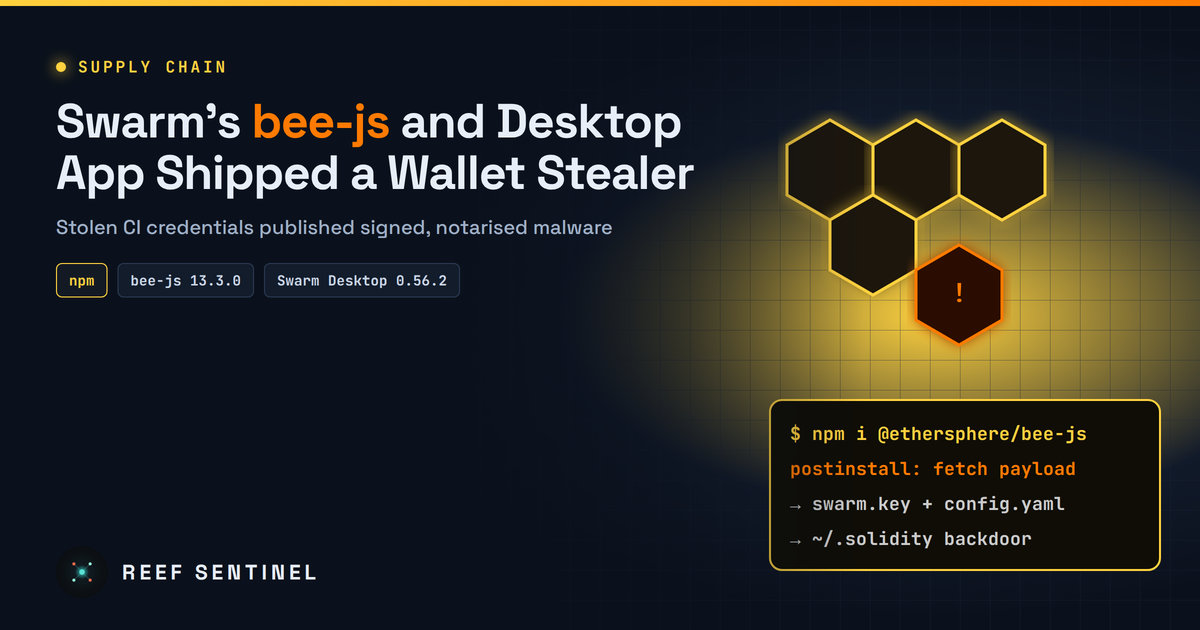
Attackers used stolen CI credentials to publish signed, notarised and provenance-backed malicious releases of Swarm's bee-js npm library and Swarm Desktop that steal node wallet keys and install backdoors on Windows, macOS and Linux.

Attackers used Ethersphere's own release automation to publish booby-trapped versions of two tools for the Swarm decentralised storage network: the npm library @ethersphere/bee-js 13.3.0 and the desktop app Swarm Desktop 0.56.2. Both stole node wallet keys and passwords and installed a backdoor on Windows, macOS and Linux. Both have been withdrawn. The project's GitHub advisory (GHSA-hh7j-5m3j-23pf) says any computer that installed or ran them "should be considered fully compromised".

What Happened

On 9 November 2026, bee-js 13.3.0 was the latest version on npm from 00:09 to 01:25 UTC. Swarm Desktop 0.56.2 appeared on GitHub at about 00:36 UTC and stayed up for about 8.5 hours.

Both releases came from the project's bee-worker automation account, with no signed commits and no pull requests. A maintainer wrote that 0.56.2 "was published by an attacker using stolen CI credentials". Security researchers say activity from a second account, belonging to a long-time maintainer, was also involved. How the attackers got in has not been explained.

Exposure was small but real. Researchers estimate about 10 downloads of the npm package, some of them by scanners and mirrors. Swarm Desktop 0.56.2 reached 65 downloads by 08:27 UTC, including researchers, and the built-in updater could offer it within about 10 minutes to Windows x64 PCs and Apple Silicon Macs. Intel Macs were never offered it, and Linux installs do not auto-update. No theft of funds had been reported at the time of writing.

Technical Details: How the Pipeline Was Abused

What the Malware Does

  1. Loader: a few lines download and run more code from the attacker's server with the user's permissions. In bee-js it runs as a postinstall script, so installing the package is enough. Nobody has to import it. In Swarm Desktop it runs on every app start.
  2. Wallet theft: it looks for config.yaml and data-dir/keys/swarm.key. The key is an encrypted keystore, but its password sits in plain text in config.yaml. Together they let attackers take xDAI and xBZZ tokens, chequebook funds and stake.
  3. Backdoor on Linux and macOS: a Go remote shell researchers call evjawbreaker, hidden in ~/.solidity and run as a user service (Linux) or a LaunchAgent (macOS). It reads its command-and-control address from an Ethereum smart contract, so the operators can change it at any time. They updated it 29 minutes before the malicious bee-js code was added.
  4. Backdoor on Windows: a genuine, ConnectWise-signed ScreenConnect client installed as a service and pointed at the attacker's relay. For administrators it uses a known UAC bypass and adds a Microsoft Defender exclusion. Non-admin users see the UAC prompt again every time they cancel it.

Researchers link the payloads, through a shared contract, relay and file naming, to fake Solidity-developer extensions on Open VSX in September and to the group behind the 2025 SleepyDuck extension.

Indicators of Compromise

What To Do Now

Developers and CI owners:

# find the bad version in lockfiles and caches
grep -R "bee-js" --include=package-lock.json --include=yarn.lock --include=pnpm-lock.yaml . | grep "13.3.0"
npm ls @ethersphere/bee-js

Swarm Desktop users:

On any affected machine: remove ~/.solidity/, the systemd unit or LaunchAgent, and the ScreenConnect service. Updating or uninstalling the app does not remove them. Rebuilding from a trusted image is safer.

Why It Matters

This attack defeated controls many teams rely on: npm provenance, code signing and Apple notarisation all worked as designed and all vouched for malware. Ethersphere now requires DevOps approval for signing jobs and runs them only from the main branch. Every project should check the same thing. Can a single token start a release or a signing job with no human approval? If so, that token is effectively the project's signing key.

COMPUTE NODE · · --:--:--

Fresh cybersecurity news,
daily threat intelligence.

Daily cyber news, live threat intel and exploited CVEs.

Everything in one place

Self-hosted, hardened, and yours.

RUN IT

Local AI console

Chat with a model on your own hardware via Ollama or any OpenAI-compatible server. No cloud, no key.

DEFEND

Cyber threat feed

Automatic daily intel from CISA KEV, NVD & GitHub advisories, a live cyber threat map, and your own notes.

NEWS

News & videos

Articles and updates on pentesting, AI, and cyber — with embedded video, including YouTube. Post your own.

DIRECTORY

Registry

Runtimes, models, MCP servers, agents, and a full security & pentest tooling section.

PUBLISH

Posts

Write, edit, publish, and share articles backed by a real database and your account.

COMMUNITY

Forum

Threads and replies across categories from Models to Hardware to Security.

CODE

Repos

Curated AI and security GitHub repos, plus a shelf for pinning your own.

DOWNLOAD

Skill packs

Agent starters, RAG scaffolds, and defensive security & VAPT report templates.

Registry

Runtimes, models, MCP servers, agent frameworks, and a security & pentest tooling section — all links out to the real projects.

Local AI console

Talk to a model running on your own machine through Ollama or an OpenAI-compatible server — your prompts and the model's replies always go straight from your browser to your local model, never through a Reef server. Attach files for context, and pick up saved chats where you left off.

Type /image a prompt in the box below to generate
Not connected

Local AI hardware benchmark

A spec-based compatibility advisor — tells you which local models your hardware can run well, which will be slow, and which to skip. Connect to Ollama below for a real, measured speed test instead of an estimate.

1. Your hardware

2. Live check against your local model server (optional)

If a local model server is running, this cross-references the table above with what you've actually got loaded — and runs a real, measured speed test instead of an estimate.

AI Database

A browsable catalog of AI models across providers — context windows, pricing, and capabilities.

Loading…

Cyber threat feed

Latest threats pulled automatically every day from CISA's Known-Exploited-Vulnerabilities catalog and NVD — plus threat intel you post yourself.

⇩ Export STIX
Loading threat feed…

Cyber threat map

Attacks happening right now, all over the world.

Connecting…
LIVE · MAURITIUS TIME--:--:--
attack route, country to country attack route into Mauritius attacker reported worldwide
Loading live data…
attackers reported per minute · click to rewindnow

Top attack routesweb

Attackers based inlast hour

Networkslast hour

Click any dot, feed row or table row to see that IP's profile.

Mauritius

Who attacks Mauritius

Loading…

Web attacks malicious requests to Mauritian websites that were blocked
Network DDoS floods meant to knock Mauritian servers offline

    Mauritius · last 24 h

    How Mauritius is attacked

    Network-level attacks (DDoS) aimed at Mauritius, by method. They try to knock servers and networks offline by sheer volume.

    • Loading…

    The ports or services these floods aimed at aren't published.

    Mauritius · last hour

    Attackers located in Mauritius

    0attackers located in Mauritius were reported in the last hour

    This counts attacks coming from Mauritius, not attacks on it: IPs in Mauritius that servers elsewhere reported for attacking them. Usually zero or one; when it rises, it's often a hacked local server or router.

    Worldwide today

    What attackers are knocking on

    Ports most targeted across a worldwide network of sensors .

    Worldwide today

    Most active attackers

    Ranked by how many separate sensors they hit. Click a row for its profile.

    IPCountryNetworkSensors hitReports
    What you're looking at
    Blue routes

    Share of attack traffic from one country to another. Thicker, faster streams carry more. Particles show volume, not one per attack.

    Every 15 min · published 1–2 h behind
    Amber flashes

    An attacking IP that servers around the world reported in the last minute, placed where the IP is. Its targets aren't published, so there's no line.

    Every minute · shown about 1 min behind
    Locations

    IP locations are approximate (city level at best) and show where the machine is hosted, not who controls it.

    Approximate · city level at best

    News

    Articles, guides and updates on pentesting, AI, and cybersecurity — with embedded video. Add your own, including YouTube.

    Loading…

    Posts

    Loading…

    Loading posts…

    Forum

    Questions, answers, and talk about running AI locally.

    Loading forum…

    GitHub repositories

    Curated AI and security repos, plus your own pinned shelf.

    Command board

    One-liners, configs, and advice worth keeping — shared by everyone here.

    ⚠ Commands are shared with all users. Never include credentials, tokens, or internal hostnames. Review anything before you run it.
    Loading commands…

    Skill packs

    Starter files served from the API — AI agent scaffolds plus defensive security & VAPT reporting templates. Click to download.

    Loading skills…

    Threat Library

    Threat actors, malware and tools — their attack techniques, Reef Sentinel coverage and indicators of compromise.

    Loading…

    Threat Intelligence

    Curated threat write-ups, advisories and analysis — with cover media.

    Loading…

    Tutorials

    Step-by-step guides for running local AI, using the console, and tracking threats. Admins can add their own.

    Loading…

    Downloads

    Direct links to the official homepage/download page for well-known cybersecurity, penetration-testing, and local-AI software. Always verify checksums/signatures from the vendor before running anything.

    Loading…

    Terms & Conditions

    Loading…

    Help & FAQ

    Answers to common questions about Reef Sentinel, plus a formatting guide for posts, articles, and comments.


    Formatting guide

    Commands you can type into the body of a post, comment, or reply — no HTML needed. Comments and short replies only support bold, italic, and inline code.

    Contact us

    Questions, feedback, or a security disclosure? Reach us directly, or send a message and we'll get back to you by email.

    Loading…

    Send a message

    VAPT Report Generator

    Build an engagement, add findings with a live CVSS calculator, and generate a branded, print-ready report.

    Recon Toolkit

    Passive OSINT lookups for the recon phase of an engagement, plus offline hash identification and a payload cheatsheet.

    Website Checker

    Reads a website's HTTP response headers to identify its framework and server, shows any known CVEs for the exposed versions with details, and recommends what to do.

    Control panel

    Manage everything shown on the site — news & videos, posts, homepage headlines, and subscribers. Admin only.

    Overview
    Content
    Site
    Account & Security

    Email settings

    SMTP on ports 25/465/587 is blocked outbound by some hosts (e.g. DigitalOcean droplets by default) — Resend and Brevo send over their HTTPS API instead, so they work even then. Only the selected provider is used to send; the others stay saved but idle, so you can switch back any time without losing settings.

    Get a key from resend.com/api-keys. Uses the "From address" below as the sender — it must be on a domain you've verified with Resend.

    Get an API key (not an SMTP key) from app.brevo.com/settings/keys/api. Uses the "From address" below as the sender — it must be a verified sender in your Brevo account.

    "From address" and "Site name/URL" are shared by SMTP, Resend, and Brevo — they control what recipients see, regardless of which provider is active.

    Send a test email

    Sends through whichever provider is currently active above. Save your settings first if you just changed them.