Hijacked ScreenConnect Panels Hit 288 Machines at 48 Organisations in 90 Minutes: SCKit 'Relay Trap' Steals Technicians' Session Cookies as ConnectWise Disables Five Extensions
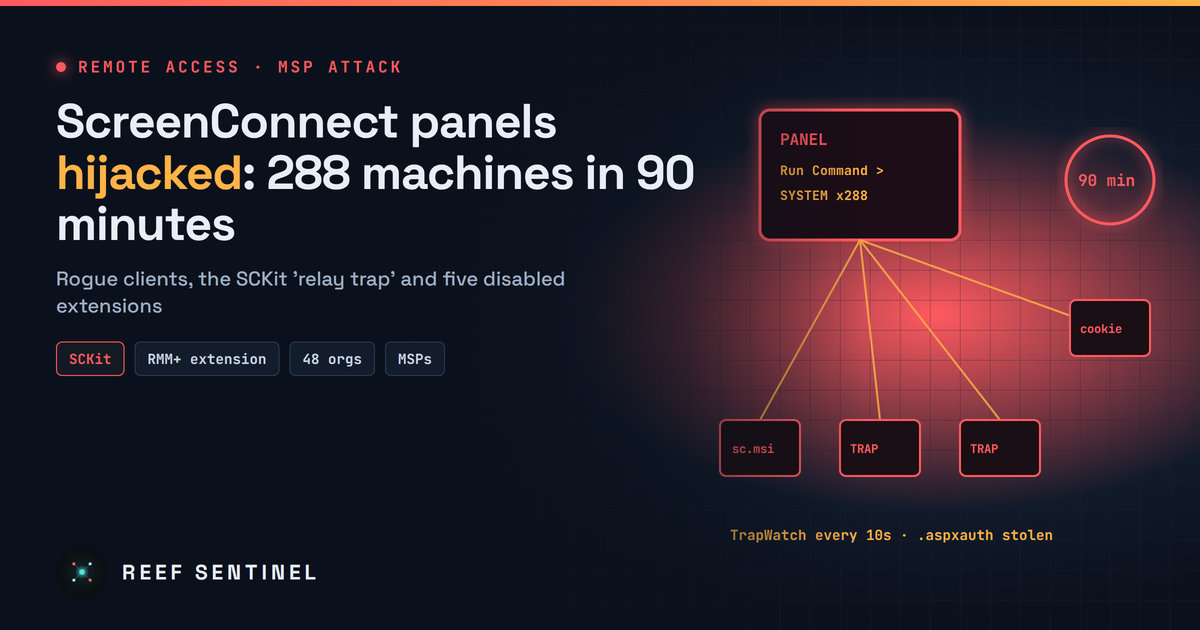
Attackers used MSPs' cloud ScreenConnect panels to push rogue clients and the SCKit toolkit to 288 endpoints, likely via a blank-key flaw in the RMM+ extension, and ConnectWise has disabled five extensions across 400+ partners.
What Happened
On 11 November 2026, attackers took over cloud-hosted ConnectWise ScreenConnect panels run by managed service providers (MSPs) and used them to push malware to customers' computers. Security researchers who responded to the incident counted at least 288 endpoints across 48 organisations hit in about 90 minutes. Roughly a third of those machines were compromised in the first ten minutes.
ConnectWise put out an advisory that evening. It confirmed unauthorised access to ScreenConnect partner accounts and disabled five third-party extensions across more than 400 partner environments as a precaution: Labtech Plus, RMM Plus, RMM+, RMM Plus Password Link and RMM+ Password Link. It later disabled RMM+ and related plugins on all hosted environments and urged partners running ScreenConnect on-premises to do the same.
The Likely Way In
The vendor and the researchers both say the initial access vector is not yet confirmed. The leading theory involves the RMM+ extension. Researchers found that versions 1.0.31 and 1.0.32 accepted a blank access key when an administrator had never set one. That would have bypassed ScreenConnect's own user accounts, roles and multi-factor authentication. The affected panels were running current ScreenConnect builds (26.6.6.9747 and 26.7.6.9783), so this looks like a weakness in the extension ecosystem rather than an outdated server.
Technical Details
The operator used ScreenConnect's built-in Run Command feature to send commands as SYSTEM to groups of endpoints at once. On each machine the command:
- checked whether a ScreenConnect client was already installed
- silently installed a second, attacker-controlled ScreenConnect client from
C:\Windows\TEMP\sc.msi - wrote a base64-encoded dropper (
sckit-run.bat) that fetched a decoder and a copy of the toolkit keyed to that machine's UUID
The toolkit, which researchers call SCKit, has 16 files and unpacks to C:\ProgramData\RelayTrap. Its main parts:
- TrapWatch.ps1 runs as SYSTEM every 10 seconds. It compiles
RelayTrap.cson the host and stops the legitimate ScreenConnect client so the rogue one can take its connection slot. - RelayTrap reuses the genuine client's libraries, so the machine still looks normal in the console. Researchers say the source code looks LLM-generated.
- Panel-Lateral.ps1 tries to take over the console and steal session cookies.
- ToolboxRelayUploader.exe uploads payloads to the panel's Shared Toolbox and connects to sessions with a stolen token.
The Relay Trap: Turning Technicians Into Vectors
The most dangerous feature targets the help-desk staff who connect to infected machines. When a technician opens a session to a compromised endpoint, a file transfer about 2.5 seconds later delivers a dropper to the technician's own workstation. The kit then reads the browser's cookie database with an SQLite tool and steals the technician's .aspxauth ScreenConnect session cookie.
Next, the attacker replays the stolen cookie against the panel to list every session that technician can reach. A payload is pushed to the Shared Toolbox, broadcast to those sessions to run as SYSTEM, and deleted about 60 seconds later. Researchers say they have not yet seen this chain succeed from endpoint to technician to further endpoints, but it is built to spread like a worm through an MSP's whole customer base.
Persistence and Evasion
Indicators to look for on endpoints:
- a scheduled task named
TrapWatch - a
RelayTrapLiteAlertvalue under the HKLMRunkey - new Microsoft Defender exclusions
- SRP/AppLocker rules that block files pushed through ScreenConnect temp folders, which stops the MSP from deploying fixes the usual way
- legitimate ScreenConnect services switched to manual start
- a rogue participant named
Addmin, plus rogue client IDs2588ef5c15954b10anded630cc2c873b091
Infrastructure named by researchers (defanged): 185.99.255[.]28, sc.payproofkit[.]com (155.94.150[.]39), newnewnew.gotdns[.]org, soxnewwork.homedns[.]org, cdn007-digitaldownloads[.]com and ns.mo7sen[.]dev. File hashes are weak indicators here, because the scripts are rebuilt with different embedded values and the trap binary is compiled on each host.
Who Is Affected
The organisations at risk are MSPs using ScreenConnect with any of the five listed extensions, especially RMM+, and every customer whose machines those MSPs manage. Because one panel reaches hundreds of client networks, a single compromise multiplies quickly.
What To Do Now
- Disable the extensions. If you run ScreenConnect on-premises, remove or disable RMM+ and the related plugins now.
- Review panel history. Check Run Command and Toolbox logs for unexpected mass activity since 11 November, and audit panel access logs.
- Don't connect through ScreenConnect. If you suspect an endpoint, investigate it with EDR live response, WinRM or another out-of-band tool. Treat any technician workstation that already connected as possibly exposed.
- Clean up fully. Remove the second client, the
TrapWatchtask,C:\ProgramData\RelayTrap\, toolkit files in%TEMP%and the Run key value. Check the legitimate client before deleting anything. Researchers have seen reinfection after isolation alone. - Kill sessions and rotate credentials. End active ScreenConnect web sessions, rotate technician passwords and revoke browser and identity-provider sessions.
A quick PowerShell check for the main artefacts:
Get-ScheduledTask -TaskName TrapWatch -ErrorAction SilentlyContinue
Test-Path C:\ProgramData\RelayTrap
Get-ItemProperty HKLM:\Software\Microsoft\Windows\CurrentVersion\Run | Select-Object RelayTrapLiteAlert
Get-Service | Where-Object { $_.DisplayName -like "ScreenConnect Client*" } | Select-Object Name, StartType, Status
Why It Matters
This is the second large ScreenConnect incident in two months. It also comes the same week as the N-able N-central disclosures, which again makes remote-management tools a top target. Attackers don't need a zero-day in the core product when a poorly configured add-on can hand them SYSTEM access across dozens of companies at once. MSP customers should ask their providers which extensions they run and how those are secured.
