Chrome Zero-Day CVE-2026-125350 Exploited in the Wild: Google Patches XML Use-After-Free in 157.0.8103.50, and CISA Adds It to KEV
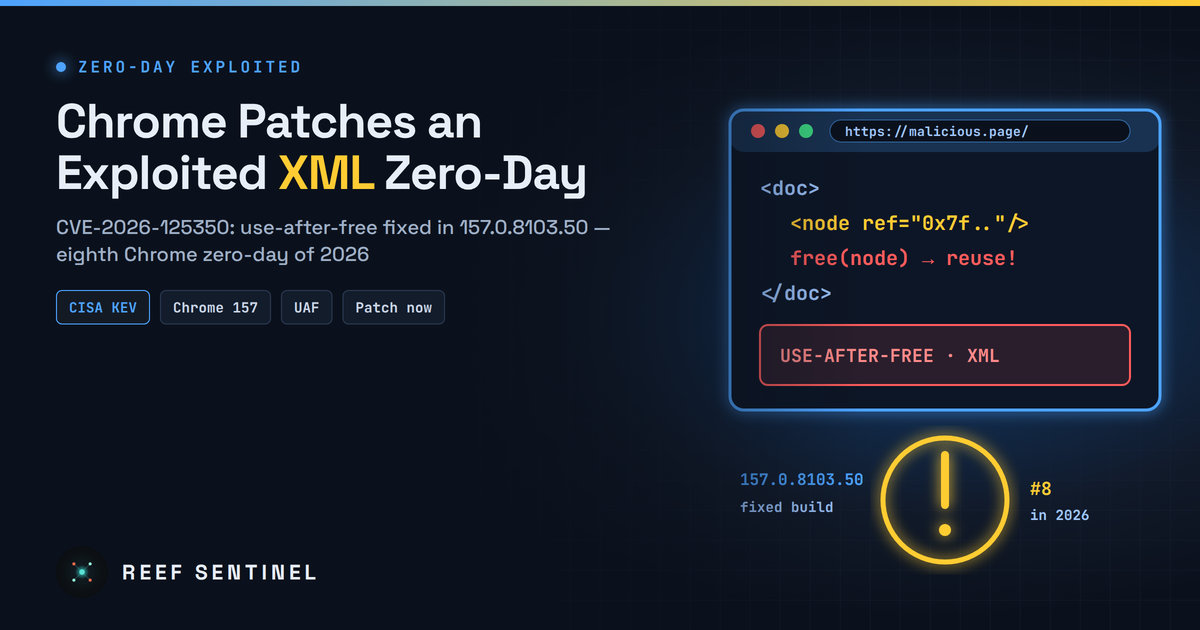
Google fixed an actively exploited high-severity use-after-free in Chrome's XML component, the browser's eighth zero-day of 2026, and CISA has added it to its exploited-vulnerabilities catalog.
Google has released an emergency Chrome update that fixes CVE-2026-125350, a high-severity use-after-free in the browser's XML component. Google says an exploit for it already exists in the wild. A day later, the US Cybersecurity and Infrastructure Security Agency (CISA) added the flaw to its Known Exploited Vulnerabilities (KEV) catalog as a "Google Chromium Use-After-Free Vulnerability".
This is the eighth Chrome zero-day exploited in 2026, and the second Chrome release this month that security teams need to roll out fast.
What Happened
Google published the update on Monday, 9 November 2026. It raises Chrome to 157.0.8103.50/.51 on Windows and macOS and 157.0.8103.50 on Linux. The release fixes nine security issues in total, and Google flagged one of them, CVE-2026-125350, as actively exploited.
An anonymous researcher reported the bug to Google on 6 November, so the patch came out about three days later. As usual with Chrome zero-days, Google is keeping the details of the bug and the attacks private until most users have updated. It has not said who is exploiting the flaw, how widely, or against whom.
Technical Details
A use-after-free happens when a program keeps using memory after it has been freed. If an attacker can control what gets written into that freed memory, the bug can often be turned into code execution. In a browser, that usually means running code inside the renderer process after the victim simply opens a malicious or compromised web page.
Here is what is known about CVE-2026-125350:
- Type: use-after-free (memory corruption)
- Component: XML
- Severity: High (Google's rating)
- Reported: 6 November 2026, by an anonymous researcher
- Status: exploited in the wild, now listed in CISA KEV
Attacks on renderer bugs like this one are often chained with a second flaw that escapes the Chrome sandbox and gives full control of the device. Google has not said whether a sandbox escape was seen alongside this bug. Defenders should still treat it as a potential first stage of a full compromise.
The same update fixes eight other flaws. Six are high-severity and affect WebGL, FileSystem, Compositing, GPU, V8 and a second XML issue. Two are medium-severity uninitialized-resource bugs in the GPU component. Google says it found most of them internally.
A Busy Year for Chrome Zero-Days
CVE-2026-125350 follows seven other Chrome zero-days exploited this year: CVE-2026-2441, CVE-2026-3909, CVE-2026-3910, CVE-2026-5281, CVE-2026-11645, CVE-2026-85046 and CVE-2026-87491.
It also arrives just days after the large Chrome 157 stable release, which fixed more than 200 security bugs. Organisations that rolled out that release still need this newer build. The exploited flaw is only fixed in 157.0.8103.50 and later.
Who Is Affected
- Anyone running Google Chrome on Windows, macOS or Linux older than 157.0.8103.50.
- Other Chromium-based browsers such as Microsoft Edge, Brave, Opera and Vivaldi share the underlying code. Their users should install the next vendor update that pulls in this fix and check each vendor's release notes for CVE-2026-125350.
- Applications that embed Chromium, such as Electron apps and kiosk or digital-signage software, may also carry the vulnerable code until their developers ship updated builds.
Patch Status
The fix is available now through Chrome's normal update channel. Chrome downloads updates automatically, but they only take effect after the browser restarts. Many users keep dozens of tabs open for weeks, so the update can sit unapplied for a long time.
CISA's KEV listing requires US federal civilian agencies to patch by a fixed deadline. CISA also urges every organisation to prioritise KEV entries.
What To Do Now
Users: open chrome://settings/help, let Chrome check for updates, then click Relaunch. Afterwards, confirm that the version shown is 157.0.8103.50 or higher.
Administrators: check versions across the fleet and force a restart where needed. For example, on Linux endpoints:
google-chrome --version
# Expect: Google Chrome 157.0.8103.50 or later
On Windows, you can query the installed version from PowerShell:
(Get-Item "C:\Program Files\Google\Chrome\Application\chrome.exe").VersionInfo.ProductVersionFurther steps:
- Use Chrome Enterprise policies (for example
RelaunchNotificationandRelaunchNotificationPeriod) so users cannot postpone the restart indefinitely. - Track Edge, Brave and other Chromium-based browsers separately. Their fixed version numbers differ from Chrome's.
- Inventory Electron and other embedded-Chromium apps and watch for vendor updates.
- If you have EDR on endpoints, look for unusual child processes spawned by browser processes over the past week. This is a common sign that a renderer exploit chain succeeded.
Why It Matters
Browser zero-days remain one of the most direct ways into a device. The victim only has to load a page, and attackers can deliver that page through malvertising, compromised legitimate sites or targeted links. Eight exploited Chrome bugs in one year shows that well-resourced attackers keep investing in browser chains.
The gap between Google's fix and a fully patched fleet is the window attackers rely on. Most of that gap comes from browsers that downloaded the update but were never restarted. Closing it quickly matters more than the missing technical details.
