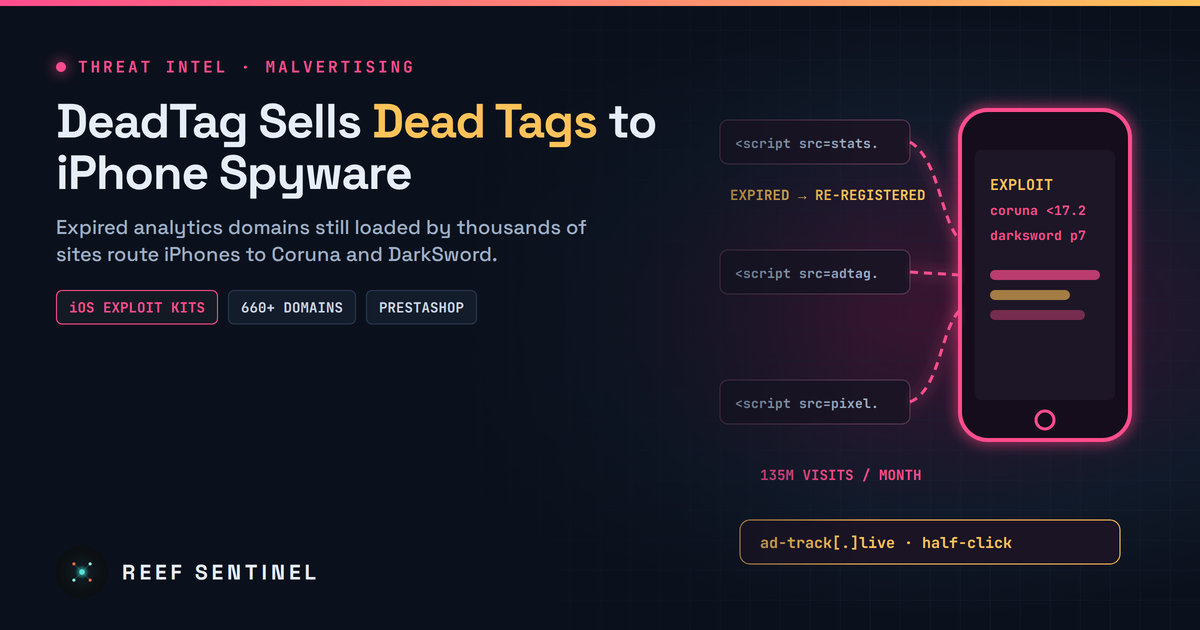
DeadTag Buys Expired Analytics Domains Still Loaded by Thousands of Sites and Sells the Traffic — iPhones Get Routed to Coruna and DarkSword Spyware
High · 2026-11-06 · By H.A
Researchers say the DeadTag operation re-registered hundreds of expired ad and analytics tag domains, which reach about 135 million visits a month, and routes iPhone visitors to the Coruna and DarkSword exploit kits; DarkSword loaders were also found on hundreds of PrestaShop stores and in an Instagram ad.
Overview
Security researchers have exposed DeadTag, a traffic-brokering operation that turns forgotten website code into a delivery route for iPhone spyware. The operators buy expired domains that once hosted analytics and advertising scripts. Thousands of websites still load tags from those domains, so whoever owns the domain decides what code runs in every visitor's browser.
Most of this hijacked traffic is sold on to scam operators. iPhone visitors, though, can be singled out and sent to one of two known iOS exploit kits: Coruna for older devices and the DarkSword "P7" variant for newer ones. Researchers say the attacks are "half-click". The exploit chain can start when an ad element or tag loads, without the victim tapping anything.
The Campaign
The researchers describe DeadTag as a marketplace more than a single attacker:
Domain resurrection: analytics, tag-manager and ad-tech domains that were allowed to expire are re-registered. Researchers counted hundreds of these domains, and figures across reports range from about 600 to more than 660.
Inherited reach: the websites embedding these tags reportedly receive around 135 million visits a month. Most of them are European rather than .com domains.
Traffic auction: visitors are filtered and, according to the researchers, resold to other criminal groups in something like an auction. Search-engine crawlers, scanners and bots get clean responses.
iPhone routing: qualifying iPhones are sent to Coruna if they run older iOS releases (reports cite iOS 13 to 17.2.1) or to DarkSword P7 if they run iOS 18.4 to 18.7.
Future-proofing: the infrastructure contains placeholders for iOS 26 and 27 exploits. Researchers saw retooling attempts that are "mostly non-functioning" so far.
DeadTag also has two other delivery routes. A DarkSword loader was found on hundreds of PrestaShop online stores, hidden in a folder named to look like analytics code. One clothing retailer loaded both Coruna and DarkSword from servers that had not been seen before, and those servers led researchers to hundreds more sites. In a separate case, a World Cup-themed Instagram ad delivered the DarkSword P7 variant to a researcher's colleague while they scrolled the in-app feed.
Timeline
September–October 2026: researchers track the web-delivery and on-device sides of the activity for about a month.
8 October 2026: researchers publish their analysis of the DarkSword P7 variant.
Late October 2026: the joint DeadTag findings are published, about a week after separate academic research on ad-delivered iPhone exploits.
Early November 2026: the findings are updated. A separate threat-intelligence bulletin connects DeadTag to the operators who use compromised PrestaShop stores.
Tradecraft
Supply-chain by neglect: the operators compromise no websites. They take advantage of tags that site owners forgot to remove.
Cloaking: filtering by user agent and visitor checks hide the payload from security tooling, so takedown teams and crawlers see benign pages.
Device fingerprinting: the exploit kit is chosen to match the iOS version, so modern devices are not exposed to old, noisy exploits.
Payload goals: both kits aim to steal keychain secrets, credentials and cryptocurrency wallet data. The wallets named include Binance, Coinbase Wallet and OKX.
Indicators of Compromise
ad-track[.]live (host behind the malicious Instagram ad)
PrestaShop module or asset folders named to resemble analytics components that load scripts from unfamiliar domains
The researchers have shared the full DeadTag domain list through a commercial threat feed. It has not been published openly.
Detection
Website owners: list every third-party <script> source your pages load and resolve who owns each domain today. A tag pointing at a domain whose registration changed recently is a red flag.
Enable Content Security Policy reporting (report-to/report-uri) so the browser tells you when your pages try to load scripts from unexpected domains.
PrestaShop operators should check the modules/ and theme directories for analytics-named folders that were added without a change ticket.
Mobile fleets: check for devices still on iOS 17.2.1 or earlier, or on iOS 18.4–18.7, and look in proxy or DNS logs for connections to newly registered ad or analytics domains.
# List external script hosts referenced by a page (defensive audit)
curl -s https://your-site.example/ | grep -oE '<script[^>]+src="https?://[^/"]+' | sort -u
Recommended Actions
Remove tags for analytics, A/B testing and ad services you no longer use. Do the same for old CMS plugins that embed them.
Enforce a restrictive Content Security Policy with an explicit script-src allow-list.
Update all iPhones to the latest supported iOS release, and retire devices that cannot be updated.
Turn on Lockdown Mode for high-risk users such as executives, journalists and crypto treasury staff.
If you suspect a compromise, reboot the device, update iOS, change passwords stored in the keychain, and move crypto funds to a new wallet with a new recovery phrase.
Analyst Assessment
DeadTag shows how much reach expired domains can carry. No zero-day is needed: the operators buy domains that thousands of trusted websites still call, then sell that traffic to whoever pays most, including exploit-kit operators. The exploits target older iOS builds, so up-to-date iPhones are largely protected. The bigger exposure is on the web side. Every site that still loads an abandoned tag is unknowingly helping deliver the exploits. We assess with moderate confidence that similar resold-traffic schemes will keep appearing as long as stale third-party tags go unaudited. Site owners should treat tag hygiene as a security control, not housekeeping.
Runtimes, models, MCP servers, agent frameworks, and a security & pentest tooling section — all links out to the real projects.
Add registry item
Local AI console
Talk to a model running on your own machine through Ollama or an OpenAI-compatible server — your prompts and the model's replies always go straight from your browser to your local model, never through a Reef server. Attach files for context, and pick up saved chats where you left off.
Type /image a prompt in the box below to generate
Not connected
Local AI hardware benchmark
A spec-based compatibility advisor — tells you which local models your hardware can run well, which will be slow, and which to skip. Connect to Ollama below for a real, measured speed test instead of an estimate.
1. Your hardware
⌕
2. Live check against your local model server (optional)
If a local model server is running, this cross-references the table above with what you've actually got loaded — and runs a real, measured speed test instead of an estimate.
AI Database
A browsable catalog of AI models across providers — context windows, pricing, and capabilities.
⌕
Loading…
Cyber threat feed
Latest threats pulled automatically every day from CISA's Known-Exploited-Vulnerabilities catalog and NVD — plus threat intel you post yourself.
Shared with everyone on this instance. Don't include client names, internal hostnames, or sensitive data.
Loading threat feed…
Cyber threat map
Attacks happening right now, all over the world.
Connecting…
LIVE · MAURITIUS TIME--:--:--
attack route, country to countryattack route into Mauritiusattacker reported worldwidemalware server
Loading live data…
attackers reported per minute · click to rewindnow
Top attack routesweb
Attackers based inlast hour
Networkslast hour
Click any dot, feed row or table row to see that IP's profile.
Mauritius
Who attacks Mauritius
Loading…
Web attacks malicious requests to Mauritian websites that were blocked Network DDoS floods meant to knock Mauritian servers offline
Mauritius · last 24 h
How Mauritius is attacked
Network-level attacks (DDoS) aimed at Mauritius, by method. They try to knock servers and networks offline by sheer volume.
Loading…
The ports or services these floods aimed at aren't published.
Vulnerabilities tried on Mauritius · last 7 days
Exploitation attempts caught by decoy servers in Mauritius, by the weakness attackers tried. Counts are attacking IPs.
Mauritius · last hour
Attackers located in Mauritius
0attackers located in Mauritius were reported in the last hour
This counts attacks coming from Mauritius, not attacks on it: IPs in Mauritius that servers elsewhere reported for attacking them. Usually zero or one; when it rises, it's often a hacked local server or router.
Worldwide today
What attackers are knocking on
Ports most targeted across a worldwide network of sensors .
Worldwide today
Most active attackers
Ranked by how many separate sensors they hit. Click a row for its profile.
IP
Country
Network
Sensors hit
Reports
Worldwide · last 7 days
Most exploited vulnerabilities
The weaknesses attackers tried most against decoy servers around the world, counted by attacking IPs.
Worldwide
Where exploitation comes from
Worldwide · last 24 h
Malware servers
Worldwide · last 24 h
Where malware is hosted
Countries hosting the most malware servers. Click one to show it on the map.
What you're looking at
Blue routes
Share of attack traffic from one country to another. Thicker, faster streams carry more. Particles show volume, not one per attack.
Every 15 min · published 1–2 h behind
Amber flashes
An attacking IP that servers around the world reported in the last minute, placed where the IP is. Its targets aren't published, so there's no line.
Every minute · shown about 1 min behind
Locations
IP locations are approximate (city level at best) and show where the machine is hosted, not who controls it.
Approximate · city level at best
Red diamonds
Malware servers: machines that hand out malware or control botnets, reported in the last 24 hours. They don't attack you directly; infected computers connect to them.
Every 30 min
Exploitation figures
Decoy servers around the world record every attempt to exploit a known weakness, so these counts show what attackers are really trying and where they come from.
Daily · previous full day, and last 7 days
News
Articles, guides and updates on pentesting, AI, and cybersecurity — with embedded video. Add your own, including YouTube.
New article
Written content plus an optional video. Paste a YouTube link and it embeds automatically.
Loading…
Posts
Loading…
New post
Stored in the platform database against your account.
⌕
Loading posts…
Forum
Questions, answers, and talk about running AI locally.
Start a thread
⌕
Loading forum…
GitHub repositories
Curated AI and security repos, plus your own pinned shelf.
Add a curated repository
Shown to everyone under the AI & agents / Security & pentest tabs — not the same as your personal shelf.
Pin a repository
Pinned to your account.
Your shelf
⌕
Command board
One-liners, configs, and advice worth keeping — shared by everyone here.
⚠ Commands are shared with all users. Never include credentials, tokens, or internal hostnames. Review anything before you run it.
Share a command
⌕
Loading commands…
Skill packs
Starter files served from the API — AI agent scaffolds plus defensive security & VAPT reporting templates. Click to download.
⌕
Add skill pack
Add a downloadable skill pack. Filename is what users will save the file as.
Loading skills…
Threat Library
Threat actors, malware and tools — their attack techniques, Reef Sentinel coverage and indicators of compromise.
⌕
Loading…
Check an indicator
Paste an IP address, domain, URL, file hash or wallet address. Defanged values like evil[.]com work too.
Curated threat write-ups, advisories and analysis — with cover media.
⌕
New entry
Add a threat-intel write-up with an optional cover image or YouTube video.
Loading…
Tutorials
Step-by-step guides for running local AI, using the console, and tracking threats. Admins can add their own.
New tutorial
Step-by-step guide. Add an optional cover image or a YouTube video.
⌕
Loading…
Downloads
Direct links to the official homepage/download page for well-known cybersecurity, penetration-testing, and local-AI software. Always verify checksums/signatures from the vendor before running anything.
New download
⌕
Loading…
Terms & Conditions
Loading…
Help & FAQ
Answers to common questions about Reef Sentinel, plus a formatting guide for posts, articles, and comments.
Formatting guide
Commands you can type into the body of a post, comment, or reply — no HTML needed. Comments and short replies only support bold, italic, and inline code.
Contact us
Questions, feedback, or a security disclosure? Reach us directly, or send a message and we'll get back to you by email.
Loading…
Send a message
VAPT Report Generator
Build an engagement, add findings with a live CVSS calculator, and generate a branded, print-ready report.
Recon Toolkit
Passive OSINT lookups for the recon phase of an engagement, plus offline hash identification and a payload cheatsheet.
Website Checker
Reads a website's HTTP response headers to identify its framework and server, shows any known CVEs for the exposed versions with details, and recommends what to do.
Control panel
Manage everything shown on the site — news & videos, posts, homepage headlines, and subscribers. Admin only.
Overview
Content
Site
Account & Security
Email settings
SMTP on ports 25/465/587 is blocked outbound by some hosts (e.g. DigitalOcean droplets by default) — Resend and Brevo send over their HTTPS API instead, so they work even then. Only the selected provider is used to send; the others stay saved but idle, so you can switch back any time without losing settings.
Get a key from resend.com/api-keys. Uses the "From address" below as the sender — it must be on a domain you've verified with Resend.
Get an API key (not an SMTP key) from app.brevo.com/settings/keys/api. Uses the "From address" below as the sender — it must be a verified sender in your Brevo account.
"From address" and "Site name/URL" are shared by SMTP, Resend, and Brevo — they control what recipients see, regardless of which provider is active.
Send a test email
Sends through whichever provider is currently active above. Save your settings first if you just changed them.
Contact page info card
Shown on the public Contact page. Leave a field blank to hide that row entirely.
API keys
Every third-party key the site and its automation use, in one place. Keys are stored in the site database and are never shown again after saving. Leave a field blank to keep the current key. Provider names appear only here in the admin panel.
Loading…
Password recovery email
The one-time code for changing your password is emailed here. Default: hans.abraham@outlook.com. Change it if needed.
Change master password
For security, changing your password requires the one-time code sent to your recovery email. If SMTP isn't configured yet, the code is shown here for testing.
Database backup
Download a consistent snapshot of the entire site database (SQLite). Keep it safe — you can restore the site from it. Back up regularly.
To restore: stop the app, replace backend/reef.db with this file, then start the app again.
Add user
Create an account directly — it's pre-verified and can sign in immediately.
Audit log
Every action taken by any administrator — including the main administrator. Read-only.
Rotation speed
How long each ad stays on screen before advancing to the next one, for every placement with more than one active ad.
Add ad
Normal ads are self-served image banners — add more than one to a placement and they rotate automatically with a small progress bar. A Google ad unit is shown once, statically, and never rotated by us (most ad networks require this).
Pasted as-is and executed on the page — only paste code from a source you trust, same as you would for any other admin-only content.
About page
Edit the public About us page. The body supports simple markdown: ## heading, - bullet, **bold**, > quote, and links.
Terms & Conditions
Edit the public Terms & Conditions page. The body supports simple markdown: ## heading, - bullet, **bold**, > quote, and links.
Add threat-intel entry
Manage threat-intelligence entries shown on the Threat → Threat Intelligence page. Photo or video cover supported.
Contact messages
Submissions from the Contact Us page. Viewing one marks it read; replies are emailed to the sender.
Everything currently pinned to the homepage featured carousel, across news, threats, tutorials, threat intel, downloads and posts.
Everything currently pinned to the homepage Latest News ticker, across news, posts, tutorials, threat intel and downloads.
Everything currently pinned to the homepage CVE ticker (threat feed entries).
Add news / video
Add post
Posts submitted by regular members land here as "Pending review" — approve, reject, edit, or pin them from this list. Main admins and admins publish directly.
Content Rating — per-user score
Each author's rating score is the average of every 1–5 Content Rating their published posts have received from readers. Only authors with at least one published post are listed.
Add command
Snippets and configs shown on the Command board. Never include credentials or internal hostnames.
Add payload
Reference snippets shown on the Recon Toolkit's Payload Cheatsheet tab. Replace ATTACKER_IP / ports as placeholders — never include real targets or credentials.
Forum reports
Members' reports of threads or replies (e.g. abusive language). Deleting a reported item leaves a public notice with your reason in its place and emails the author; dismissing clears the report without touching the content.
News comment reports
Members' reports of comments (or replies) on news articles. Deleting a reported comment leaves a public notice with your reason in its place; dismissing clears the report without touching the comment.
Post comment reports
Members' reports of comments (or replies) on member posts. Deleting a reported comment leaves a public notice with your reason in its place; dismissing clears the report without touching the comment.
Add registry item
Runtimes, models, MCP servers, agent frameworks, and security tooling shown on the Registry page. Also editable directly from the front-end Registry page itself.
Add download
Curated cybersecurity / pentest / AI software links shown on the Downloads page. Also editable directly from the front-end Downloads page itself.
Pin a repository
Personal pinned GitHub repos shown on the Repos page under "My pins". Also pinnable directly from the front-end Repos page itself.
Formatting commands you can type into the body of a post, tutorial, news article, threat-intel entry, or the About page — no HTML needed. Comments and short replies only support bold, italic and inline code.
FAQ entries shown on the public Help page. Super admin only — same scope as About page / SMTP / API keys.
Add FAQ
Add entry
The Threat Library holds ~1,000 actors, malware and tools from MITRE ATT&CK (refreshed weekly). Add Reef entries here for threats ATT&CK doesn't list yet (e.g. a new stealer). Every intel and news story that names it — or an alias — is linked automatically, with its indicators.
Add tip
Small "💡 Security Tip" card left of the homepage search bar (and a swipe row on mobile). Maximum 8 tips. Best image: a 4:5 portrait card (e.g. 2160×2700 PNG). The top of the image shows in the small card; the full image opens when clicked.
Add headline
Add tutorial
Add skill pack
Send newsletter
We use essential cookies/local storage to keep you signed in and remember your preferences. We don't use tracking or advertising cookies. Learn more