BOSSAI: One Operator Ran a Mesh of 12 AI Agents Against Hundreds of Organisations in 11 Countries — Taipei 119 Dispatch Records and Patient Data Taken
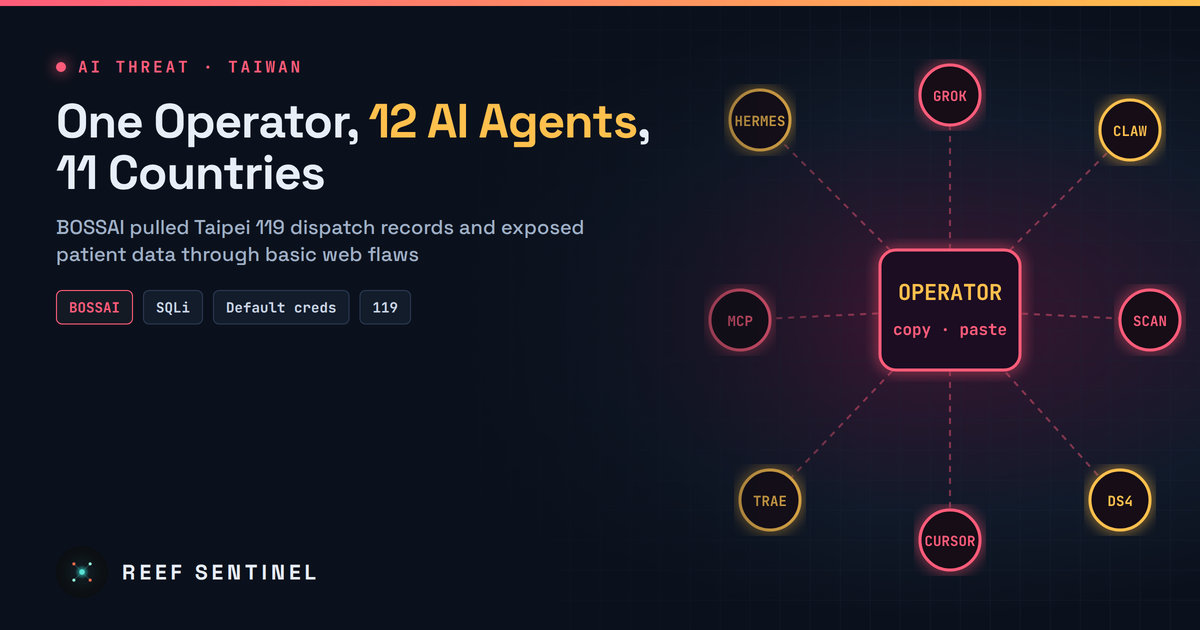
Researchers exposed BOSSAI, a single Taiwan-based operator's 12-agent AI attack mesh that used SQL injection, default credentials and hardcoded secrets to confirm about 10 compromises in Taiwan, Mexico and Thailand, including Taipei 119 dispatch records.
Overview
Security researchers have published a detailed look inside BOSSAI, a "mesh" of 12 AI agents run by what they assess, with high confidence, to be a single person based in Hualien City, Taiwan. The platform scanned hundreds of organisations in 11 countries and confirmed compromises at about 10 targets in three countries. The most serious harm was in Taiwan: emergency dispatch case records from Taipei's 119 fire and ambulance system, and an old fire-department patient-care platform that exposed ECG readings, vitals and ambulance video without asking for credentials.
The case matters because it shows what AI agents actually change for a lone attacker. Mostly they add scale and speed. They don't add new exploits. Every confirmed intrusion used a well-known web weakness: SQL injection, default credentials, hardcoded secrets and broken validation.
The Campaign
Researchers found the operation through an exposed open directory on the attacker's main server. It held more than 90,000 files (about 9 GB), including agent configuration, conversation logs, command histories, exploit tooling, credentials and victim data. They watched the mesh for about 12 days, and the main offensive agent's model rotations are logged over 19 days.
The architecture was more manual than "autonomous":
- 12 agents configured, 9 active. They never talked to each other directly. The operator was the integration layer, pasting one agent's output into the next, sometimes from a phone.
- Hermes, the main offensive agent (about 95 sessions), was driven through a WeChat gateway.
- OpenClaw, nicknamed "Little Claw" by the operator, ran on MiniMax M3 through LINE and mostly handled infrastructure.
- Grok 4.5 was the main "builder" agent. Coding assistants, including Claude Code and OpenAI Codex CLI, were pointed through shims at a local abliterated DeepSeek-V4 variant instead of their normal back-ends.
- Scanning came from HalberdStrike, a PenTestGPT-based agent, and a cracked commercial web vulnerability scanner.
- At its peak the mesh used 13 MCP servers, later cut to three (HexStrike AI, Kali MCP and a Ghidra bridge). Standard tooling included nmap, sqlmap, Metasploit, Hydra, ffuf, gobuster, dirsearch, nikto, FOFA and Shodan.
Commercial models repeatedly refused offensive requests, even under jailbreak attempts. A logged 25 July 2026 request asking Grok to port a Hikvision exploitation tool to Linux was declined. That pushed the operator onto weaker abliterated open-weight models (DeepSeek, GLM and Qwen variants).
Timeline
- 25 July 2026: Earliest dated artefact, a refused request to port a Hikvision exploit tool.
- Mid/late 2026: Researchers observe the mesh for about 12 days after finding the exposed development server.
- 4 November 2026: Researchers publish the full BOSSAI report.
- 10 November 2026: The same vendor's annual threat report highlights BOSSAI as an example of AI-coordinated attacks.
Tradecraft
Confirmed impact by country:
- Taiwan: Dispatch case records (incident times, response types, locations) pulled from a public-facing 119 API across seven Taipei districts. These were case records, not live ambulance GPS. A patient-care platform with data dating from 2018 needed no credentials. A fire-dispatch vendor's admin panel opened with default root credentials. A lending company had 16 SQL injection points on MSSQL 2017, and a mobile-payment card-binding flow accepted wrong CVV codes.
- Mexico: About 206,800 residential phone records compiled, plus about 124,000 records scraped from a business directory.
- Thailand: 489 candidate targets across 45 universities. Three had confirmed SQL injection, and student data was extracted.
- Honduras: A military air-force personnel system was profiled but not exploited.
Other techniques included a hardcoded AES-256 key in front-end JavaScript that exposed session contents, a partial SSRF path, and credential stuffing over WordPress XML-RPC, which found no valid logins. The agents also produced false results, including a fabricated "critical" Apache RCE against a disaster-response centre. Hermes stored reusable "skills" (playbooks) that carried procedures and target details from one campaign to the next.
Attribution rests on reused handles and branding across GitHub and infrastructure, an SSH key identity, a legitimate business storefront on the same IP, and a home IP that leaked in a Grok session. The operator also left API keys, Cloudflare tokens and a WeChat enterprise QR code exposed.
Indicators of Compromise
IP addresses:
- 112.121.185[.]218
- 156.240.109[.]26
- 49.158.237[.]136
- 202.160.76[.]153 – 202.160.76[.]157
- 202.160.76[.]174
Domains:
- vps.xs1.ccwu[.]cc, xss.xs1.ccwu[.]cc, c.xs1.ccwu[.]cc
- attacker-collector[.]com
- boss.jytian.cc[.]cd
- gdp.gasjy.kdns[.]fr, gds.gasjy.kdns[.]fr, 888.bossjy.kdns[.]fr
- ssh.gputw[.]ai
Detection
- Look in web and WAF logs for bursts of sqlmap-style injection payloads, directory brute-forcing (ffuf, gobuster, dirsearch) and nikto signatures arriving from the same sources over short windows.
- Alert on successful logins to admin panels with default or vendor accounts, and on API endpoints serving large record sets to unauthenticated clients.
- Hunt for WordPress
xmlrpc.phpsystem.multicallfloods. - Block the IPs and domains above and check historical proxy and firewall logs for contact with them.
# Example: count likely SQLi probes per source IP in an nginx access log
grep -Ei "union(%20|\+)select|sleep\(|information_schema|' or '1'='1" /var/log/nginx/access.log \
  | awk '{print $1}' | sort | uniq -c | sort -rn | head
Recommended Actions
- Take legacy and test systems offline. The worst exposure here was a 2018-era medical platform nobody had retired.
- Remove default credentials from every admin interface, including vendor-managed ones, and enforce MFA.
- Fix SQL injection with parameterised queries. Review public APIs for missing authentication and over-broad responses.
- Never ship encryption keys or secrets in client-side JavaScript.
- Validate payment fields (CVV, card binding) server-side.
- Disable XML-RPC where it isn't needed and rate-limit authentication endpoints.
Analyst Assessment
BOSSAI is a useful corrective to "autonomous AI hacker" hype. The agents let one person scan and probe at the volume of a small team, across many countries at once. But the operator still had to glue the pieces together by hand, fought model refusals, and struggled to review the agents' output, some of which was invented. The weaknesses exploited were basic and avoidable. For defenders, the lesson is that obscurity no longer protects forgotten systems: at agent scale, every exposed legacy service and default password will eventually be found. Severity is rated High because of the confirmed theft of emergency-service and patient data.
