The Vendor You Stopped Using Still Had a Key: Qubole's Trusted AWS Role Turned Into a Front Door
The Vendor You Stopped Using Still Had a Key: Qubole's Trusted AWS Role Turned Into a Front Door
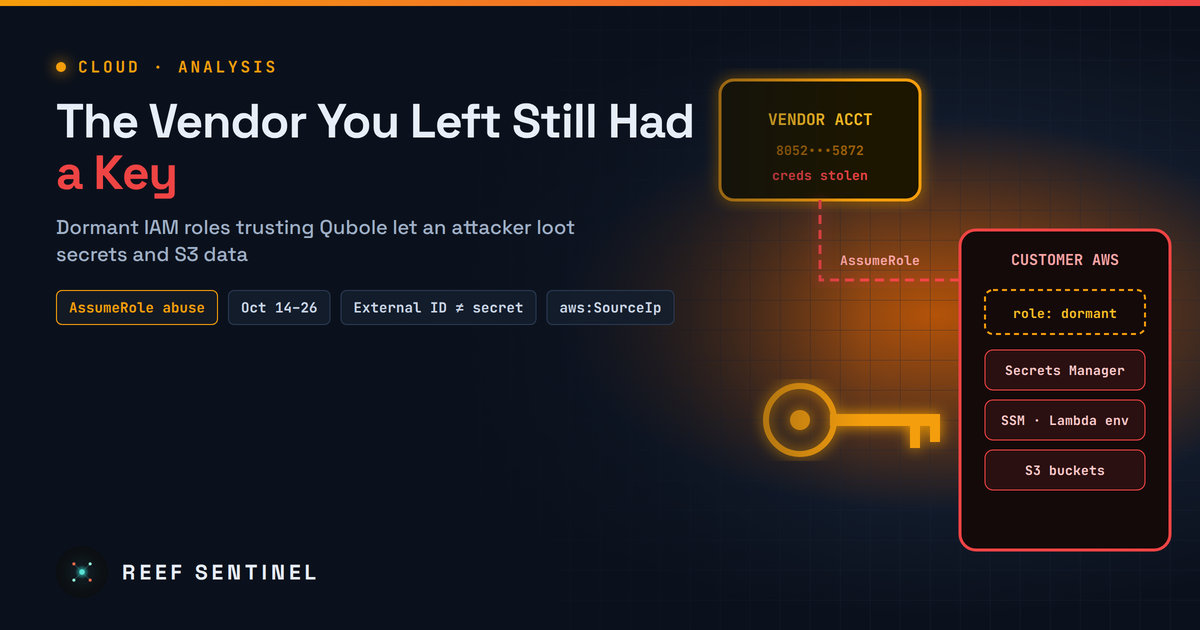
An attacker holding Qubole's own AWS credentials walked into multiple customer accounts through IAM roles that, in many cases, nobody had used in years, a reminder that cross-account trust lasts until someone deletes it.
What happened
Between October 14 and October 26, 2026, an attacker assumed IAM roles in multiple customer AWS accounts that had been set up to trust Qubole, the data lake platform now owned by Idera. Security researchers published their analysis on November 9. They say every malicious request came from Qubole's own platform account (805246085872), which also carries legitimate Qubole traffic. It is still undisclosed how the attacker got credentials for that account. When the findings came out, neither Qubole nor Idera had made a public statement, and the researchers did not give a victim count beyond "multiple" environments.
Once inside, the attacker went straight for secrets:
- They searched Lambda environment variables, Secrets Manager and SSM Parameter Store for stored credentials.
- They tested what they found with TruffleHog, checking AWS keys through GetCallerIdentity, Entra ID client secrets through sign-ins, and Okta client credentials through OAuth token requests.
- They copied S3 data from any bucket the role could read, sometimes a whole bucket in one session.
The researchers also found a separate burst of activity between October 8 and 11 that used customer-owned AWS access keys, which they believe had been created for Qubole integrations. They have not linked the two campaigns.
Why this is not a "Qubole bug"
Nothing here involved a software flaw. The attacker did not break IAM or AWS. They used a trust relationship exactly as it was designed to work. Many cloud services work this way: you create a role in your account, set its trust policy to allow the vendor's account to assume it, add an External ID, and attach whatever permissions the vendor's setup guide asks for. According to the researchers, Qubole's setup guide includes a sample S3 policy that grants read access to every bucket.
The worrying detail is that most of the roles the attacker assumed were dormant. They belonged to organisations that had stopped using Qubole, or barely used it, but had never removed the trust. Wiring up an integration takes an afternoon. Removing it is no one's job.
Why the External ID didn't help
The External ID is often described as a safeguard for cross-account roles. It is, but only against one specific problem, the "confused deputy", where a vendor is tricked into acting on behalf of the wrong customer. It was never meant to be a secret. AWS documents it as non-secret, it appears in plaintext in CloudTrail, and it usually sits in infrastructure-as-code files and onboarding emails. Every malicious AssumeRole request in this campaign carried a valid External ID, and every one succeeded.
Once the vendor's own account is compromised, the External ID protects nothing. The attacker is the deputy now, and an unconfused one.
The control that would have worked
The researchers say that "a source IP condition alone would have blocked every role assumption" they observed. The attacker connected from hosting and commercial VPN addresses, not from the vendor's infrastructure. An aws:SourceIp or aws:SourceVpce condition in the trust policy, limited to the vendor's published egress ranges, would have turned stolen vendor credentials into failed API calls.
That is the most useful lesson here. Most organisations audit what a vendor role can do. Few restrict where it can be used from.
The bigger pattern
This fits a pattern seen through 2026, where attackers skip the customer and go after whoever already holds the customer's trust: integration tokens, OAuth apps, managed service providers, CI/CD pipelines. Third-party access is attractive because it is pre-approved, rarely monitored and often over-privileged. A role that legitimately assumes into your account every hour looks like noise in your logs. A role that has sat unused for months and suddenly enumerates Secrets Manager should be the loudest alert you have, but only if anyone is watching for it.
Practical takeaways
- Hunt now if you ever used Qubole. Search CloudTrail from October 1 for
AssumeRoleevents from account 805246085872, especially from non-AWS IP addresses or session names starting withquiam-. Researchers also list the OVH address 57.129.54[.]120 and several Mullvad VPN exits as indicators (VPN exits are shared, so they are not conclusive on their own). - If a role was assumed, treat it as a full compromise: rotate every secret, parameter and Lambda environment variable it could reach, including Entra ID and Okta credentials, and revoke active sessions.
- Inventory every vendor trust. List roles whose trust policy names an external account:
aws iam list-roles --query "Roles[].[RoleName,AssumeRolePolicyDocument.Statement[].Principal.AWS]" --output jsonCross-check them against role last-used dates (aws iam get-role --role-name NAME --query Role.RoleLastUsed) and delete anything dormant.
- Add network conditions to trust policies (
aws:SourceIporaws:SourceVpce) wherever the vendor publishes its egress ranges, and name a specific vendor principal instead of the account root where supported. - Rotate and uniquify External IDs, but stop counting them as a security control.
- Cut vendor permissions to the minimum: no blanket S3 read, and no Secrets Manager, SSM or Lambda configuration access unless the integration truly needs it.
- Alert on vendor role assumptions from VPNs or unfamiliar hosting providers, keep organisation-wide trails in all regions, and enable S3 data events or access logs on sensitive buckets so you can tell what left.
- Make offboarding include IAM. When a contract ends, the trust policy should go with it.
