What Is a Zero-Day? How Attackers Exploit Flaws Nobody Has Patched Yet — and the Steps That Protect You Before the Fix Arrives
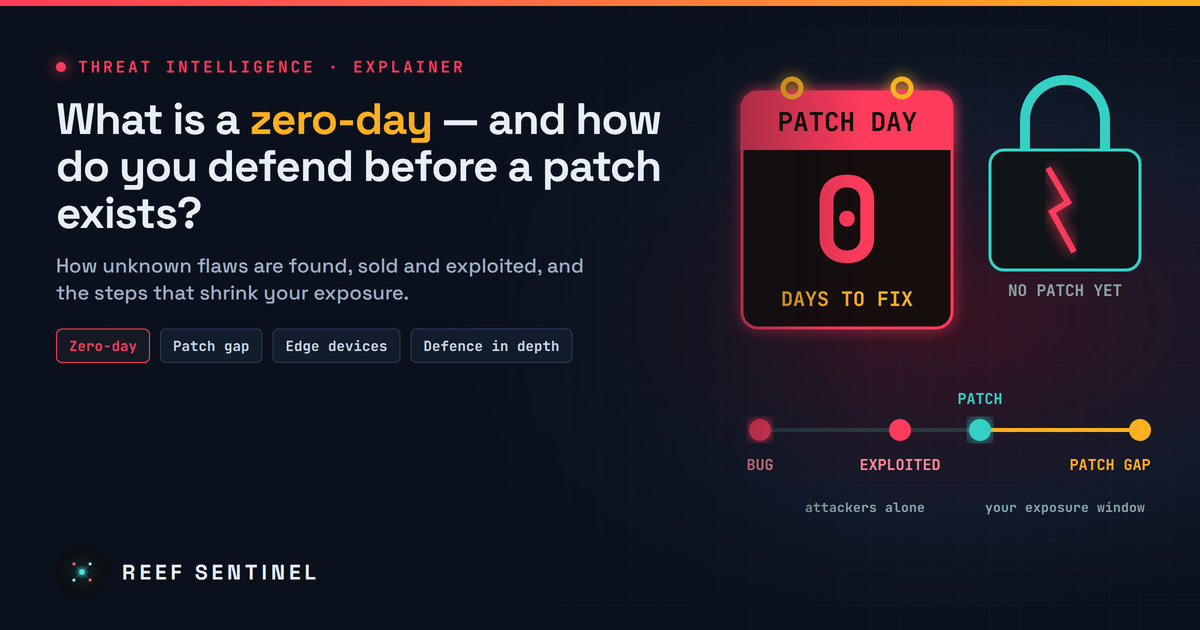
A zero-day is a flaw attackers use before the vendor can fix it; this explainer covers how they work, who uses them, how to spot them and how to cut your exposure.
Overview
A zero-day is a security flaw that attackers know about before the people who make the software do. The name comes from the defender's point of view: the vendor has had zero days to fix it, so when it is first used in an attack there is no patch to install.
Three terms are often mixed up:
- Zero-day vulnerability — the flaw itself, unknown to the vendor or not yet fixed.
- Zero-day exploit — the code or technique that takes advantage of it.
- Zero-day attack — the real-world use of that exploit against a victim.
Once a fix is released, the flaw becomes an n-day: publicly known and patchable. That does not make it safe. Many of the most damaging intrusions happen in the weeks after a patch ships, against organisations that have not applied it yet.
Zero-days are no longer rare events. Reef Sentinel has published more than a dozen Threat Intelligence reports on exploited zero-days since September alone — including this week's [Outlook flaw that leaks NTLMv2 password hashes](/n/220) and the [Chrome XML use-after-free](/n/221) that CISA added to its Known Exploited Vulnerabilities catalogue.
How a Zero-Day Works
Every zero-day starts as an ordinary bug: a memory-handling mistake, a missing permission check, a parser that trusts its input too much. What makes it dangerous is who finds it first.
- If a researcher or the vendor finds it, it is usually reported privately, fixed, and disclosed with the patch.
- If an attacker finds it — or buys it — it can be used quietly for weeks or months before anyone notices.
The most valuable zero-days need no user action at all ("zero-click"), work without logging in ("pre-authentication"), or chain with a second flaw to escape a sandbox or gain full system control.
The Timeline
A typical zero-day goes through the same stages:
- The flaw is introduced when the code is written, often years before anyone notices.
- It is discovered — by a researcher, the vendor, or an attacker.
- It is exploited in the wild, often against a small number of carefully chosen targets.
- Defenders notice something abnormal: a crash, an odd process, unexpected outbound traffic.
- The vendor confirms and patches it, usually flagging it as "exploited in the wild".
- The patch gap opens. Attackers compare the patched and unpatched versions to rebuild the exploit, and mass exploitation of unpatched systems often follows within days.
Stages 3 and 6 are where organisations get hurt. You cannot control stage 3; you fully control how long you stay exposed in stage 6.
Who Uses Zero-Days — and Against What
- State-sponsored groups use them for espionage, especially against governments, defence, telecoms and technology firms.
- Commercial spyware vendors sell zero-click exploit chains against phones to government customers.
- Ransomware and cybercrime groups increasingly buy or develop zero-days for mass exploitation of internet-facing software.
The favourite targets have shifted toward systems that sit on the network edge and rarely run security tools:
- VPNs, firewalls and secure gateways — recent examples on Reef Sentinel include [Ivanti Connect Secure](/i/110) and [Cisco ASA and FTD](/i/121).
- Browsers and mobile operating systems, which every employee uses all day.
- Email clients and office software, where a single malicious file can be enough.
- Enterprise platforms such as file-transfer, orchestration and management servers.
Detection
There is no signature for a flaw nobody knows about yet, so detection relies on behaviour, not known-bad patterns:
- Endpoint detection and response (EDR) flags what an exploit does afterwards: a browser spawning a command shell, Office starting PowerShell, a service writing new executables.
- Network monitoring catches unusual outbound connections, unexpected SMB or NTLM authentication to the internet, or data leaving at odd hours.
- Edge-device integrity checks matter because VPNs and firewalls rarely run EDR. Use the vendor's integrity-check tools and review their logs after every advisory.
- Threat hunting from fresh advisories: when a vendor confirms in-the-wild exploitation, search your own logs back to the earliest date the flaw could have been used.
- Crash and error spikes in a browser, mail server or gateway can be the first visible sign of exploitation attempts.
Recommended Actions
You cannot patch a flaw that has no patch. The goal is to shrink the attack surface, limit the damage if an exploit lands, and close the patch gap fast once a fix appears.
Close the patch gap
- Treat "exploited in the wild" and CISA KEV entries as emergencies: patch within days, not at the next monthly cycle.
- Turn on automatic updates for browsers, operating systems and phones — and restart them, because many updates only apply after a relaunch.
- Keep an asset inventory so you know within minutes whether an affected product is in your network.
Shrink what attackers can reach
- Do not expose management interfaces of VPNs, firewalls and servers to the internet; restrict them to an allowlist or an internal network.
- Remove or disable unused services, plugins and legacy protocols (for example, block outbound SMB/NTLM to the internet).
- Retire end-of-life devices; they will never receive a fix for the next zero-day.
Limit the blast radius
- Enforce multi-factor authentication and least privilege, so a compromised account or device does not open everything else.
- Segment the network, keeping edge devices, servers and user machines apart.
- Use built-in hardening: browser sandboxing, Windows exploit protection, application allowlisting and, for high-risk iPhone users, Lockdown Mode.
- Apply virtual patching (WAF or IPS rules) while waiting for an official fix.
Be ready for the day it happens
- Keep offline, tested backups.
- Collect logs from edge devices centrally, so evidence survives if the device is wiped.
- Have an incident response plan that says who decides to take a system offline when a zero-day is announced and no patch exists yet.
For individuals
- Keep phone, computer and browser on auto-update, and restart when asked.
- Be careful with unexpected attachments and links, even from people you know.
- Remove apps and browser extensions you no longer use.
Analyst Assessment
Zero-days will keep coming: software keeps growing, attackers keep paying for exploits, and AI is speeding up bug discovery on both sides. The most important trend is the shift toward edge devices — VPNs, firewalls and gateways — which face the internet, hold valuable credentials and usually run no endpoint security.
Most organisations will never be the first victim of a zero-day. They are far more likely to be hit in the days after the patch, when the flaw is public and the exploit spreads. The single most effective defence is therefore boring but decisive: know what you run, patch exploited flaws within days, and design your network so that one broken device does not hand over everything else.
