Kairos: New Go DDoS Bot Enters Linux and IoT Devices Through Empty-Password Root Telnet and Exhausts Targets With Thousands of Idle TCP Connections
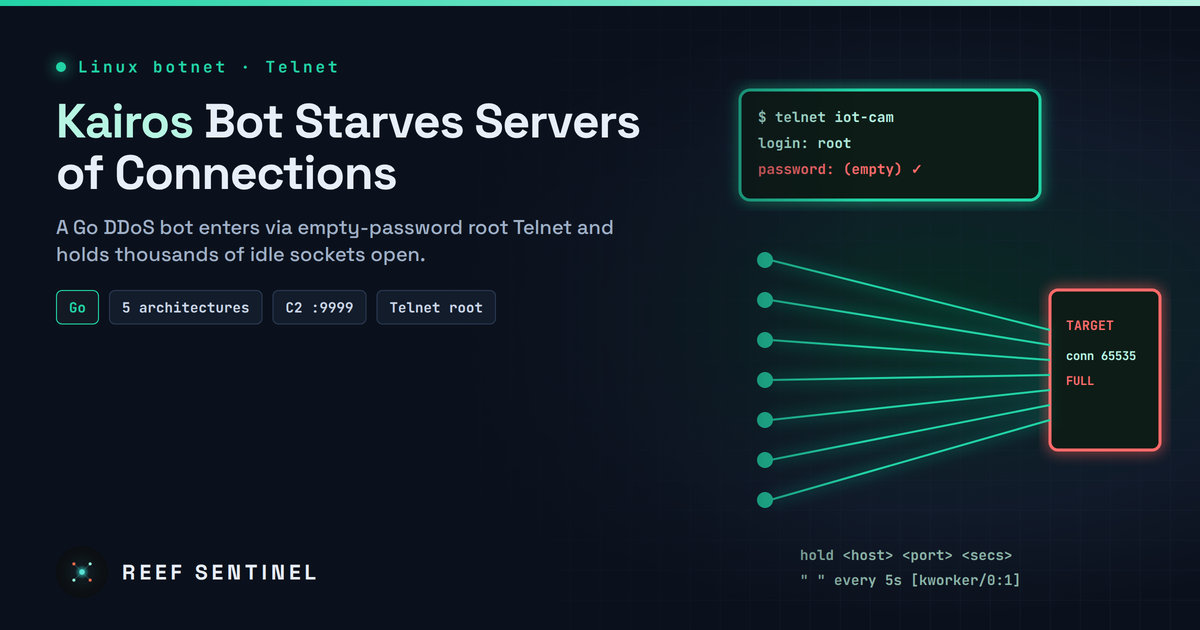
Researchers documented Kairos, a Go-based Linux DDoS bot spread through passwordless root Telnet logins that floods targets with low-bandwidth TCP connection-exhaustion attacks and is built per C2 server.
Overview
Researchers have documented Kairos, a previously unknown Linux DDoS bot written in Go that spreads through the oldest trick in the IoT book: Telnet logins as root with an empty password. Once installed, it does one thing — joins its operator's botnet and floods targets with a TCP connection-exhaustion attack that holds thousands of idle sockets open instead of blasting raw bandwidth.
The research, published on 29 October 2026, is based on honeypot captures and covers builds for x86_64, ARM, MIPS (big- and little-endian) and 32-bit x86.
The Campaign
Infection starts with a Telnet login using default credentials. A shell dropper then:
- runs
uname -mto identify the CPU architecture; - changes to
/tmpand removes earlier artifacts; - downloads the matching binary (for example
/x86_64) over HTTP on TCP/8080 usingwget,curlor BusyBoxwget, with TFTP as a final fallback; - saves payloads as hidden files
.bot,.bot2,.bot3and.bot4, makes them executable and starts them in the background.
Command and control is plaintext TCP on port 9999 to a single hard-coded IPv4 address with no fallback. The bot registers with a REGISTER linux <arch> <NumCPU> message, sends a newline keepalive every two seconds, and redials every five seconds without jitter or a retry limit if the session drops.
Three captured builds differ only in their C2 address and Go compiler patch level (Go 1.27.0 and 1.27.1), which points to a build-per-C2 model: one codebase recompiled for each server — possibly for different customers.
The Attack
The bot understands just three commands:
hold <host> <port> <seconds>— start the flood (a new attack on the same host:port replaces the old one);!ka— pause the bot and stop all attacks;!ku— re-enable attacks.
Each attack spawns 128 workers per CPU core, minimum 256 — 2,048 on a 16-core host. Every worker completes a full TCP handshake and then sends a single space byte every five seconds to keep the connection alive. Failed connections are retried every 100 ms, creating a connect storm against closed ports. The effect is to fill the victim's connection table and worker pools, so legitimate users cannot connect even though traffic volume stays low and may slip under volumetric DDoS thresholds.
The traffic is not spoofed, so the source IPs of infected devices are visible — and the flood can exhaust the bot host's own file descriptors and connection-tracking table.
Timeline
- Before 29 October 2026: Honeypots capture infection attempts from three attacker IP addresses delivering Kairos.
- 29 October 2026: Analysis, IOCs, a network signature and a YARA rule published.
Tradecraft
Kairos is deliberately minimal:
- No persistence, self-propagation, remote command execution, payload download or anti-analysis.
- It rewrites
os.Args[0]to[kworker/0:1]to look like a kernel worker, but because it does not callprctl(PR_SET_NAME)or change argv memory,/proc/<pid>/comm,/proc/<pid>/cmdlineandpsstill reveal the real name. - Go symbols are intact, exposing names such as
kairos/methods.HoldFloodandkairos/methods.holdConn.
A reboot removes it, but the empty-password Telnet hole that let it in remains — so devices are typically reinfected.
Indicators of Compromise
IP addresses (C2 / delivery / scanning):
103.124.165[.]53172.86.85[.]39(payloads on TCP/8080, C2 on TCP/9999)45.129.56[.]14091.92.42[.]8445.129.56[.]22285.11.167[.]41
SHA-256 samples:
- amd64:
bfdf77ee849bffff7d6812f343841f3278e6e75949ab3e25644f17c24be87213,181d1adfcf2da42afaa8fc1ceb4493cf2322c18431f3512673f4693e11b9cabd,87a77b056a6cf33ab3f72b534d57788046281349aacd42846f3df5e0b22655e1 - arm:
01568930028bdcce6ecd7e923971cf41f145e045e59536aa264241bc9a8e9650,7635821eced7092e916e86471567e26c20ee5bda4a7b96f6b3d21a921862a416,82d0f2258b2eeeeacfaa719665e0435619f8cc2f1d5dd13dd08134e0bf2d7dd6 - mips:
5743ebfc697385909b3906af1ac9d851936e6556f323216e10cc1e129fa369a0 - mipsle:
1ef5835cb0dfe305de05d92874c8a05eada9c02fcd04d9548dd059b44405519a - 386:
9b628b5453576f3324036deb346db9cdd07bd673ecba4a464d072ba01a8b7a54
Strings and files: REGISTER linux, [kworker/0:1], kairos/bot, kairos/methods.HoldFlood, /tmp/.bot, .bot2, .bot3, .bot4.
Detection
- Network: alert on outbound TCP to port 9999 whose payload begins with
REGISTER linux, and on hosts opening hundreds of outbound TCP connections to a single destination. - Host: because the masquerade is shallow, the real binary stays visible. Look for processes running from hidden files in
/tmpand for the dropper's artifacts:
# processes whose executable lives in /tmp or is named .bot*
for p in /proc/[0-9]*; do
  exe=$(readlink "$p/exe" 2>/dev/null) || continue
  case "$exe" in /tmp/*|*/.bot*) echo "$(basename $p) $exe $(cat $p/comm)";; esac
done
ls -la /tmp/.bot* 2>/dev/null
# hosts holding unusually many outbound connections
ss -tn state established | awk 'NR>1{print $4}' | sort | uniq -c | sort -rn | head- YARA: scan ELF files of 500 KB–4 MB for the
kairos/build path and Go symbols, or theREGISTER linuxand[kworker/0:1]strings.
Recommended Actions
- Disable Telnet on every Linux, router and IoT device; where it cannot be removed, block TCP/23 from the internet.
- Set passwords on all root and default accounts — an empty root password should be treated as an incident.
- Block egress to the listed IPs, especially on TCP/9999 and TCP/8080, and alert on attempts.
- Deploy an IDS signature for the plaintext
REGISTERbeacon and the YARA rule across file scanning. - For services that may be targeted, tune connection limits, idle timeouts and per-source connection caps so slow-connection floods cannot exhaust worker pools.
- Reboot and reflash any infected device after closing the Telnet hole; the bot has no persistence but reinfection is immediate otherwise.
Analyst Assessment
Kairos is technically unremarkable, but it is a reminder that empty-password Telnet still yields a steady supply of bots in 2026, and its low-bandwidth connection-exhaustion technique can defeat DDoS protection tuned only for volume. The build-per-C2 model suggests a small operation that may be selling or renting builds. We rate the threat Medium: low risk for well-managed networks, but a real availability concern for services behind thin connection limits and for anyone still exposing Telnet.
