WordPress CVE-2026-119977 Hits CISA KEV: Attackers Race the Few Seconds Your Site Spends Updating Itself
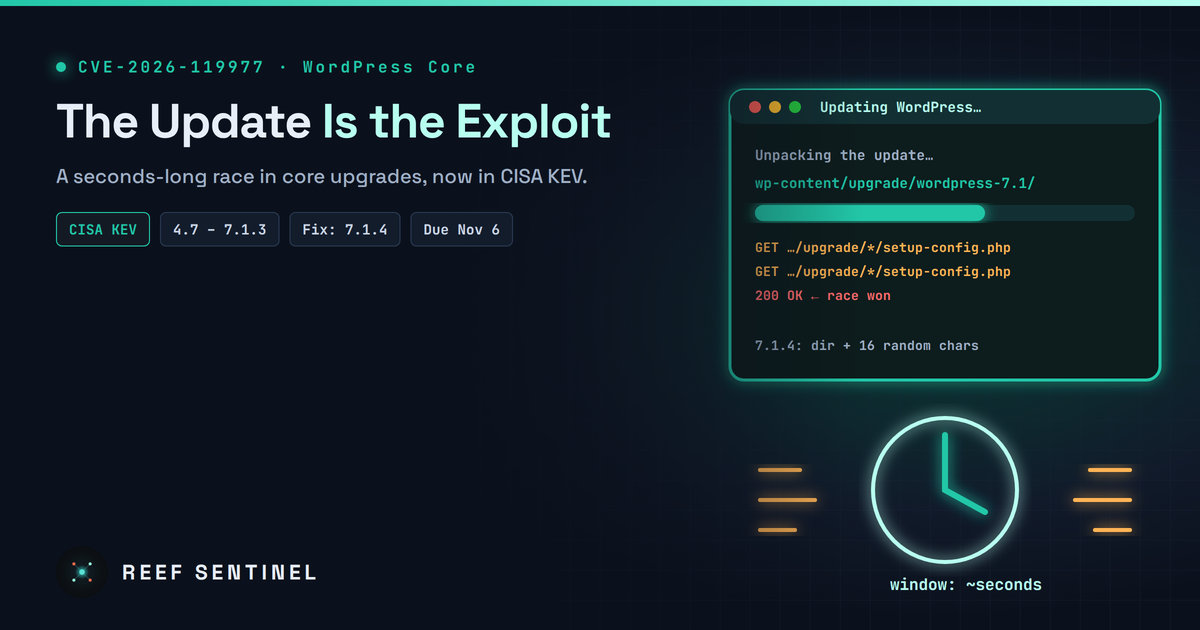
CISA has added a WordPress core upgrade race condition (CVE-2026-119977, versions 4.7–7.1.3) to its exploited-vulnerabilities catalog with a November 6 deadline, so site owners should confirm they run 7.1.4 or a backported fix and block web access to wp-content/upgrade/.
What Happened
On November 3, CISA added CVE-2026-119977, a race condition in WordPress core's own update process, to its Known Exploited Vulnerabilities (KEV) catalog. Federal civilian agencies were given until November 6 to fix it. That is a three-day deadline, which CISA saves for flaws it considers urgent.
The bug sits in the code that upgrades WordPress itself. WordPress fixed it in 7.1.4, released on October 28, and backported the fix to every supported branch going back to 4.7. Within a day of the release, security researchers saw thousands of automated requests. Attackers were polling sites for the short window that opens while an update runs.
Technical Details
The flaw (CWE-367, a time-of-check/time-of-use race) affects WordPress 4.7.0 through 7.1.3 when the site does a full-package core update:
- WordPress unpacks the new release into a working directory under
wp-content/upgrade/. That folder is served by the web server, and its name was predictable. - The unpacked copy includes the setup installer (
wp-admin/setup-config.php). Inside the staging folder it can run without the live site's configuration. - An attacker who requests that staged installer at the right moment can reach the setup flow and push it toward PHP code execution, with no login required.
The window is short. In lab conditions the staging directory usually existed for only a few seconds. This is why exploitation is a numbers game: bots keep polling predictable staging paths across many sites and wait for one of them to start an update.
Four things must all be true at the same moment:
- The site is running a full-package core update.
wp-content/upgrade/is reachable over the web and PHP runs there.- The staging path is predictable or can be found.
- The attacker's request arrives before cleanup.
The 7.1.4 fix adds 16 random characters to the staging directory name, keeps an index.php guard in the upgrade folder, and stops a staged wp-config.php from being copied out of the working directory.
Severity Is Disputed
Ratings vary. The CVE Numbering Authority that assigned the CVE scores it CVSS 3.1 8.1 (High) with high attack complexity. The WordPress project's own advisory (GHSA-4w3m-c66w-69mg) rates it Low, and one research team said it would not call exploitation practical. NVD had not scored it at the time of writing.
CISA's listing changes the practical picture. Researchers recorded more than 18,500 requests for staged setup-config.php paths in the first 21 hours after disclosure. CISA now says there is evidence of active exploitation. Earlier public reporting described attempts rather than confirmed compromises, and CISA's entry does not say how many sites have been compromised.
Who Is Affected
- Any WordPress site on 4.7.0–7.1.3 that updates core through the built-in updater.
- Sites with automatic updates disabled. They are exposed the next time someone updates by hand, and they also stay unpatched longer.
- Sites on 4.6 or earlier. These get no fix at all, because WordPress no longer supports them.
Sites deployed through Composer, git or container images with DISALLOW_FILE_MODS set to true never run the built-in core updater, so they never open the window. They should still move to the fixed code.
Patch Status
Fixed releases by branch include:
- 7.1.4, 7.0.8, 6.9.11, 6.8.12, 6.7.11, 6.6.11, 6.5.14, 6.4.14
- 6.3.14, 6.2.15, 6.1.16, 6.0.18
- 5.9.20 down to 5.0.31, and 4.9.35, 4.8.34, 4.7.39
Most sites with background security updates turned on should already have received the fix. Check rather than assume.
What To Do Now
- Confirm the version on every site, especially ones run by agencies, freelancers or old hosting accounts:
wp core version --path=/var/www/site
wp core verify-checksums --path=/var/www/site- Block web access to the staging folder at the server or virtual-host level, not with a file inside the folder. For nginx:
location ^~ /wp-content/upgrade/ {
    deny all;
    return 403;
}
For Apache (server or vhost config):
<Directory "/var/www/site/wp-content/upgrade">
    Require all denied
</Directory>- Hunt in your access logs for requests to PHP files under the upgrade folder, particularly around times when core updates ran:
grep -E "wp-content/upgrade/.*\.php" /var/log/nginx/access.log* | awk '{print $1}' | sort | uniq -c | sort -rn | head- Look for signs of compromise if a staged path returned
200: administrator accounts you don't recognize, unexpected plugins, PHP files you didn't put there, and changes towp-config.php.
- Don't rely on a plugin firewall alone. A PHP-level firewall may never see a request served from a staging folder that doesn't load WordPress.
Why It Matters
Most WordPress incidents come from plugins. This one is in core and is triggered by the update itself, the step administrators are told to take to stay safe. A race with a window of seconds still looks impractical one site at a time. Spread across millions of sites by automated scanners, it becomes something CISA tells agencies to fix within three days.