Siemens SIMATIC IoT2050 Node-RED Flaw CVE-2026-58115 (CVSS 10.0) Now Exploited — One Unauthenticated POST /flows Drops a Linux Bot and a Persistent Backdoor
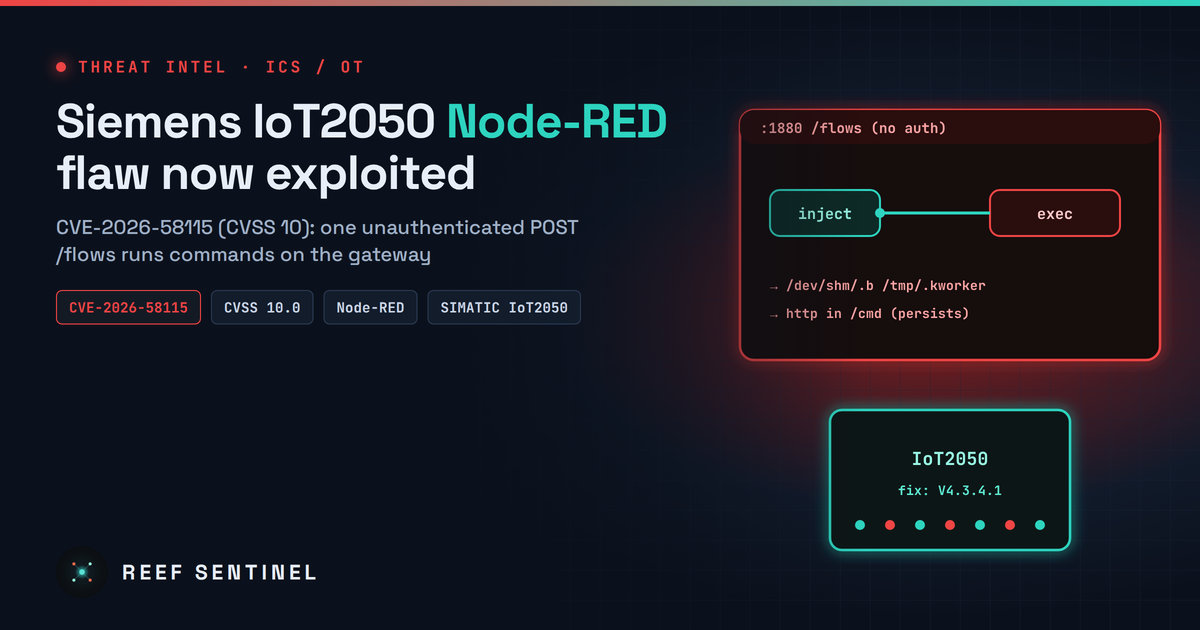
Attackers are exploiting a missing-authentication flaw in Node-RED on Siemens SIMATIC IoT2050 Advanced gateways to run commands, drop a Linux bot and plant reboot-surviving backdoor flows; update to V4.3.4.1 and enable adminAuth.
Overview
Attackers are exploiting CVE-2026-58115, a maximum-severity (CVSS 10.0) missing-authentication flaw in Siemens SIMATIC IoT2050 Advanced industrial gateways running Industrial OS with Node-RED installed. On affected builds the Node-RED editor and Admin API accept requests without credentials. A single HTTP request can deploy a flow that runs shell commands on the device with maximum privileges.
Siemens fixed the issue in August in advisory SSA-834709. Researchers' honeypots caught the first complete exploit on 30 October 2026, with payloads that download a Linux bot and plant webshell-style backdoor flows that survive a reboot. As of 3 November the CVE was not in CISA's Known Exploited Vulnerabilities catalog.
The underlying weakness reaches beyond Siemens hardware. A Node-RED editor exposed without adminAuth can be abused in the same way, and no Node-RED CVE or release "fixes" it, because the editor is unsecured by default.
The Vulnerability
- CVE: CVE-2026-58115 (CWE-306, Missing Authentication for Critical Function)
- Score: CVSS v3.1 and v4.0 base 10.0
- Affected: SIMATIC IoT2050 Advanced (6ES7647-0BA00-1YA2) running Industrial OS with Node-RED, all versions before V4.3.4.1
- Fixed: V4.3.4.1 or later
Node-RED lets anyone with editor access deploy "flows" over its HTTP Admin API. Flows can include exec nodes that run operating-system commands. On the affected IoT2050 builds that API needs no login, and Node-RED listens on 0.0.0.0:1880 by default. Network access to the port is therefore enough to execute code on the gateway.
Timeline
- 11 August 2026: Siemens publishes SSA-834709 with the fix in V4.3.4.1.
- 12 August: Initial public exploitation assessment records "none."
- 27 October: Researchers release detection artefacts.
- 30 October: First complete exploit captured in the wild.
- 30 October – 1 November: 16 exploit events recorded from a single source IP.
- 2 November: Exploitation analysis published.
- 3 November: Still absent from CISA KEV.
Tradecraft
The observed attack is a single POST /flows request carrying a small flow:
- An
injectnode that fires one second after deployment - An
execnode that runs a base64-encoded dropper
The dropper downloads a binary to /dev/shm/.b, marks it executable and starts it detached. Later requests varied the payload. One staged a script at /tmp/.s, one dropped an implant at /tmp/.kworker, and others deployed a flow that exposes an HTTP endpoint such as /cmd for repeat command execution. Because the backdoor is stored as a Node-RED flow, it persists across reboots.
The same source IP tried seven other CVEs in unrelated products, so this looks like opportunistic mass scanning, not a targeted ICS operation. Researchers did not retrieve the bot payloads, so their full capabilities are unknown, and no victim has been confirmed.
Indicators of Compromise
Network:
4.201.105[.]116: exploit source85.215.73[.]250:8080: payload server (bot-linux-amd64,wget.sh)45.194.90[.]57:38472: server contacted by a.sys_updateimplant
Host:
/dev/shm/.b,/tmp/.kworker,/tmp/.s- Flows with
execnodes orhttp inendpoints (such as/cmd) that you did not create
Detection
- Review Node-RED or reverse-proxy logs for
POST /flowsfrom unknown sources answered with HTTP 200. - Inspect the flows file for nodes you did not author:
grep -E '"type":\s*"(exec|http in)"' ~/.node-red/flows*.json
ls -la /dev/shm/.b /tmp/.kworker /tmp/.s 2>/dev/null- Check outbound connections from gateways to the IPs above, and alert on any IoT2050 or Node-RED host starting new outbound sessions to the internet.
- Inventory exposure: scan your OT and IT ranges for TCP/1880 and confirm whether the editor answers without a login.
Recommended Actions
- Update every SIMATIC IoT2050 Advanced to V4.3.4.1 or later.
- On any Node-RED deployment, enable
adminAuthinsettings.jsand restart. Generate password hashes with:
node-red admin hash-pw- If the editor is not needed in production, set
httpAdminRoot: false. Siemens also lists uninstalling Node-RED as an option. - Enable HTTPS and put HTTP nodes and the Dashboard behind authentication.
- Never expose port 1880 to untrusted networks. Place gateways behind OT firewalls and allow access only from jump hosts.
- If you find compromise indicators, isolate the gateway, preserve the flows file and logs, rebuild from a trusted image, and rotate any credentials stored in flows (MQTT, database and cloud keys are common).
Analyst Assessment
The current activity is low-volume and opportunistic, but the bar for exploitation is as low as it gets: one unauthenticated request, no memory corruption, and code execution on a device that often bridges OT and IT networks. Gateways are rarely patched quickly, and Node-RED is widely deployed beyond Siemens hardware. Expect commodity botnets to fold this into their scanners. Defenders should treat any internet-reachable Node-RED editor without authentication as already compromised until proven otherwise.