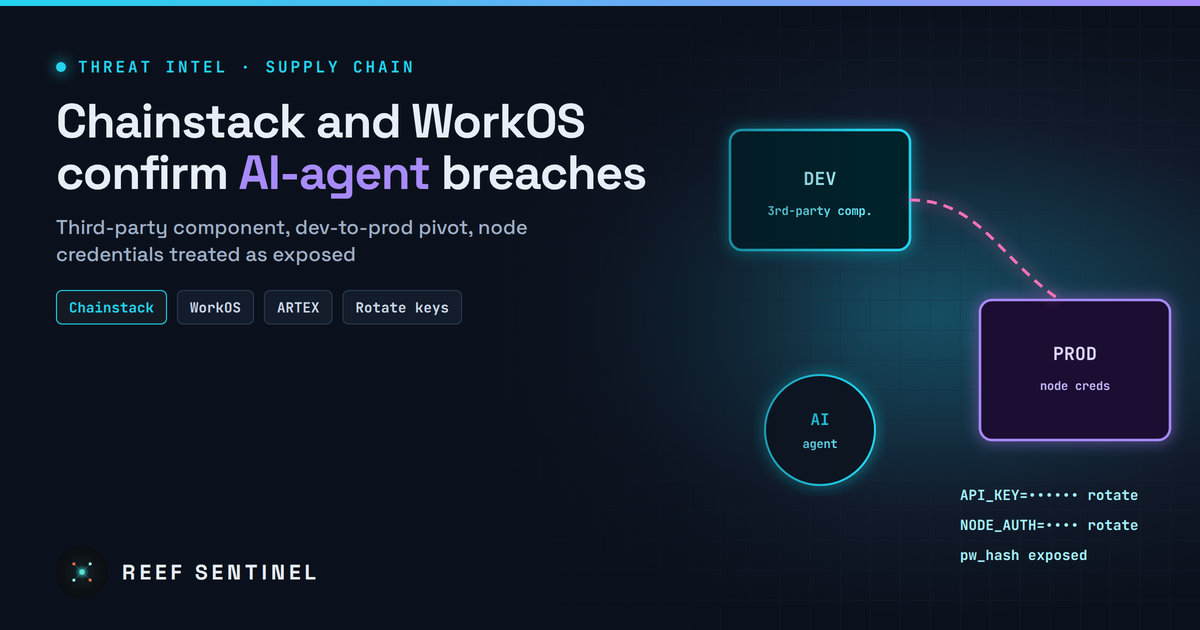
Chainstack and WorkOS Confirm Breaches Linked to the AI-Driven ARTEX Campaign — Attacker Pivoted From a Third-Party Component Into Chainstack Production
High · 2026-11-04 · By H.A
Chainstack says an attacker moved from a development environment into production and accessed account data, password hashes and systems holding node credentials, while WorkOS confirmed a GTM-system breach researchers tie to the same AI agent framework.
Overview
Blockchain infrastructure provider Chainstack has disclosed that an external attacker got into its development environment through a third-party component, then moved into parts of production. The attacker took organisation and account data along with password hashes. Chainstack is telling every customer to rotate node credentials and regenerate API keys.
Researchers assess the intrusion as part of the large AI-driven campaign that came to light last week, which overlaps with a China-linked cluster using the ARTEX autonomous intrusion framework. Our earlier coverage of that campaign (VAPOR PANDA and ARTEX) reported nine confirmed compromises across more than 200 targeted organisations. What is new: named victims are now confirming incidents. Chainstack's disclosure is the first to describe a move from development into production, and API platform WorkOS has also confirmed a breach it attributes to the same framework.
The Campaign
According to Chainstack:
The attacker gained access "to part of Chainstack's infrastructure through a third-party component." The company has not named the component or the weakness used.
Access started in a development environment and was escalated into "some parts of our production environment."
Data accessed: organisation names, account-holder names, email addresses of organisation members, and password hashes.
The attacker also had access to systems holding node credentials. Chainstack says it has "no evidence they were read," but it is treating them as exposed.
WorkOS reported a separate incident, discovered on 30 October and attributed to the same autonomous agent framework:
The intrusion was limited to go-to-market (GTM) systems. WorkOS says production systems and customer platform data were not affected.
Exposed data included business contact details, account and relationship information, customer communications (sales-call summaries, support discussions and Slack conversations), and product-usage metadata.
Blockchain analytics firm Chainalysis had already disclosed an "external actor using offensive agentic techniques" in its systems and internal tools. As of 2 November it had taken its Reactor and Data Solutions products offline.
Timeline
26 October 2026: Attacker reaches Chainstack's development environment.
26–31 October: Escalation into parts of Chainstack production.
30 October: WorkOS discovers the intrusion in its GTM systems.
31 October: Chainstack detects the intrusion and cuts off access the same day.
2 November: Chainalysis products remain offline.
3 November: Chainstack publishes its disclosure and customer guidance.
Tradecraft
Third-party foothold: Initial access came through a supplier component, not through Chainstack's own code. Agentic tooling is good at enumerating exactly this kind of dependency.
Dev-to-prod pivot: Development environments often hold credentials or network paths that reach production. That route gave the attacker its production access.
Credential-dense targets: Node RPC credentials and platform API keys are valuable in crypto infrastructure because they can be reused straight away to read chain data, abuse paid quotas, or tamper with transaction flows.
Machine-speed operation: Researchers say the wider campaign used AI agents to plan and run most intrusion phases with little human input, which explains how so many organisations were reached in a short window.
Indicators of Compromise
Chainstack and WorkOS have not published indicators. Organisations should use the IOCs released for the wider ARTEX-linked campaign and watch for unexpected use of Chainstack credentials (below).
Detection
For Chainstack customers:
Review Chainstack node and API usage for request spikes, new source IPs or methods you do not normally call from 26 October onwards.
Check your own logs for successful logins to services where staff reused their Chainstack password.
Watch for phishing that cites the incident, such as fake "rotate your keys" emails with credential-harvesting links.
For any SaaS or infrastructure provider:
Alert on development-environment identities or hosts that suddenly reach production networks or secret stores.
Baseline automated-looking activity. Agent-driven intrusions tend to produce fast, regular, high-volume request patterns that stand out from human operators in proxy and API logs.
Recommended Actions
Chainstack customers should:
Rotate all node credentials (endpoint auth keys, basic-auth users) and update the applications that use them.
Regenerate platform API keys and revoke the old ones.
Change Chainstack passwords and any reused passwords elsewhere, and turn on MFA.
Treat incident-themed emails with suspicion and reach Chainstack only through its known console URL.
WorkOS customers should expect targeted phishing that uses the leaked sales and support context, and should brief their account owners.
Everyone else:
Map which third-party components can reach your dev environments and which dev identities can reach production. Then cut those paths.
Shorten secret lifetimes and move to scoped, rotatable credentials for blockchain node access.
Analyst Assessment
Chainstack, WorkOS and Chainalysis are all developer-facing infrastructure or data companies, and each holds credentials or context that is useful for follow-on attacks. That fits a campaign aimed at supply-chain leverage rather than one-off theft. The attribution to ARTEX comes from researchers' overlap analysis, and none of the victims has published technical evidence for it. More disclosures from smaller providers are likely as incident-response work catches up.
Runtimes, models, MCP servers, agent frameworks, and a security & pentest tooling section — all links out to the real projects.
Add registry item
Local AI console
Talk to a model running on your own machine through Ollama or an OpenAI-compatible server — your prompts and the model's replies always go straight from your browser to your local model, never through a Reef server. Attach files for context, and pick up saved chats where you left off.
Type /image a prompt in the box below to generate
Not connected
Local AI hardware benchmark
A spec-based compatibility advisor — tells you which local models your hardware can run well, which will be slow, and which to skip. Connect to Ollama below for a real, measured speed test instead of an estimate.
1. Your hardware
⌕
2. Live check against your local model server (optional)
If a local model server is running, this cross-references the table above with what you've actually got loaded — and runs a real, measured speed test instead of an estimate.
AI Database
A browsable catalog of AI models across providers — context windows, pricing, and capabilities.
⌕
Loading…
Cyber threat feed
Latest threats pulled automatically every day from CISA's Known-Exploited-Vulnerabilities catalog and NVD — plus threat intel you post yourself.
Articles, guides and updates on pentesting, AI, and cybersecurity — with embedded video. Add your own, including YouTube.
New article
Written content plus an optional video. Paste a YouTube link and it embeds automatically.
Loading…
Posts
Loading…
New post
Stored in the platform database against your account.
⌕
Loading posts…
Forum
Questions, answers, and talk about running AI locally.
Start a thread
⌕
Loading forum…
GitHub repositories
Curated AI and security repos, plus your own pinned shelf.
Add a curated repository
Shown to everyone under the AI & agents / Security & pentest tabs — not the same as your personal shelf.
Pin a repository
Pinned to your account.
Your shelf
⌕
Command board
One-liners, configs, and advice worth keeping — shared by everyone here.
⚠ Commands are shared with all users. Never include credentials, tokens, or internal hostnames. Review anything before you run it.
Share a command
⌕
Loading commands…
Skill packs
Starter files served from the API — AI agent scaffolds plus defensive security & VAPT reporting templates. Click to download.
⌕
Add skill pack
Add a downloadable skill pack. Filename is what users will save the file as.
Loading skills…
Threat Intelligence
Curated threat write-ups, advisories and analysis — with cover media.
⌕
New entry
Add a threat-intel write-up with an optional cover image or YouTube video.
Loading…
Tutorials
Step-by-step guides for running local AI, using the console, and tracking threats. Admins can add their own.
New tutorial
Step-by-step guide. Add an optional cover image or a YouTube video.
⌕
Loading…
Downloads
Direct links to the official homepage/download page for well-known cybersecurity, penetration-testing, and local-AI software. Always verify checksums/signatures from the vendor before running anything.
New download
⌕
Loading…
Terms & Conditions
Loading…
Help & FAQ
Answers to common questions about Reef Sentinel, plus a formatting guide for posts, articles, and comments.
Formatting guide
Commands you can type into the body of a post, comment, or reply — no HTML needed. Comments and short replies only support bold, italic, and inline code.
Contact us
Questions, feedback, or a security disclosure? Reach us directly, or send a message and we'll get back to you by email.
Loading…
Send a message
VAPT Report Generator
Build an engagement, add findings with a live CVSS calculator, and generate a branded, print-ready report.
Recon Toolkit
Passive OSINT lookups for the recon phase of an engagement, plus offline hash identification and a payload cheatsheet.
Website Checker
Reads a website's HTTP response headers to identify its framework and server, shows any known CVEs for the exposed versions with details, and recommends what to do.
Control panel
Manage everything shown on the site — news & videos, posts, homepage headlines, and subscribers. Admin only.
Overview
Content
Site
Account & Security
Email settings
SMTP on ports 25/465/587 is blocked outbound by some hosts (e.g. DigitalOcean droplets by default) — Resend and Brevo send over their HTTPS API instead, so they work even then. Only the selected provider is used to send; the others stay saved but idle, so you can switch back any time without losing settings.
Get a key from resend.com/api-keys. Uses the "From address" below as the sender — it must be on a domain you've verified with Resend.
Get an API key (not an SMTP key) from app.brevo.com/settings/keys/api. Uses the "From address" below as the sender — it must be a verified sender in your Brevo account.
"From address" and "Site name/URL" are shared by SMTP, Resend, and Brevo — they control what recipients see, regardless of which provider is active.
Send a test email
Sends through whichever provider is currently active above. Save your settings first if you just changed them.
Contact page info card
Shown on the public Contact page. Leave a field blank to hide that row entirely.
Recon Toolkit — API keys
Optional third-party keys that unlock extra Recon Toolkit lookups. Everything else in Recon (subdomains, DNS, RDAP, email breach check, password exposure check, a free baseline host lookup) works with no key at all — these just add more depth. Provider names are only ever shown here in the admin panel; the public-facing Recon Toolkit UI never names which providers power it.
Upgrades Host Intel's primary scan-index lookup from the free InternetDB baseline to the full Shodan Host API — adds org/ISP/ASN/OS/geolocation, per-service banner data (product, version, TLS cert issuer, HTTP title), and richer verified CVE data. Get a key from account.shodan.io — a free account key works but is rate-limited; a paid membership raises the limit and query credits.
Adds a secondary, independently-sourced scan-index lookup (all 65,535 ports scanned) alongside the primary lookup in Host Intel — useful for services on non-standard ports. Free — create one at accounts.censys.io (My Account → API Access → Create New Token). No paid plan needed.
Raises the rate limit on Host Intel's IP-reputation check (is this IP a known internet-wide scanner, or a recognised benign service like a public DNS resolver?). Works keyless at a low rate limit already — a free key from viz.greynoise.io/signup raises it.
Enables the Domain Breach summary (org-wide breach exposure for a verified domain) in the Breach Check tab. Requires verifying domain ownership with XposedOrNot first — free key from your XposedOrNot dashboard after verification. The email and password exposure checks don't need this — only the domain-wide summary does.
Password recovery email
The one-time code for changing your password is emailed here. Default: hans.abraham@outlook.com. Change it if needed.
Change master password
For security, changing your password requires the one-time code sent to your recovery email. If SMTP isn't configured yet, the code is shown here for testing.
Database backup
Download a consistent snapshot of the entire site database (SQLite). Keep it safe — you can restore the site from it. Back up regularly.
To restore: stop the app, replace backend/reef.db with this file, then start the app again.
Add user
Create an account directly — it's pre-verified and can sign in immediately.
Audit log
Every action taken by any administrator — including the main administrator. Read-only.
Rotation speed
How long each ad stays on screen before advancing to the next one, for every placement with more than one active ad.
Add ad
Normal ads are self-served image banners — add more than one to a placement and they rotate automatically with a small progress bar. A Google ad unit is shown once, statically, and never rotated by us (most ad networks require this).
Pasted as-is and executed on the page — only paste code from a source you trust, same as you would for any other admin-only content.
About page
Edit the public About us page. The body supports simple markdown: ## heading, - bullet, **bold**, > quote, and links.
Terms & Conditions
Edit the public Terms & Conditions page. The body supports simple markdown: ## heading, - bullet, **bold**, > quote, and links.
Add threat-intel entry
Manage threat-intelligence entries shown on the Threat → Threat Intelligence page. Photo or video cover supported.
Contact messages
Submissions from the Contact Us page. Viewing one marks it read; replies are emailed to the sender.
Everything currently pinned to the homepage featured carousel, across news, threats, tutorials, threat intel, downloads and posts.
Everything currently pinned to the homepage Latest News ticker, across news, posts, tutorials, threat intel and downloads.
Everything currently pinned to the homepage CVE ticker (threat feed entries).
Add news / video
Add post
Posts submitted by regular members land here as "Pending review" — approve, reject, edit, or pin them from this list. Main admins and admins publish directly.
Content Rating — per-user score
Each author's rating score is the average of every 1–5 Content Rating their published posts have received from readers. Only authors with at least one published post are listed.
Add command
Snippets and configs shown on the Command board. Never include credentials or internal hostnames.
Add payload
Reference snippets shown on the Recon Toolkit's Payload Cheatsheet tab. Replace ATTACKER_IP / ports as placeholders — never include real targets or credentials.
Forum reports
Members' reports of threads or replies (e.g. abusive language). Deleting a reported item leaves a public notice with your reason in its place and emails the author; dismissing clears the report without touching the content.
News comment reports
Members' reports of comments (or replies) on news articles. Deleting a reported comment leaves a public notice with your reason in its place; dismissing clears the report without touching the comment.
Post comment reports
Members' reports of comments (or replies) on member posts. Deleting a reported comment leaves a public notice with your reason in its place; dismissing clears the report without touching the comment.
Add registry item
Runtimes, models, MCP servers, agent frameworks, and security tooling shown on the Registry page. Also editable directly from the front-end Registry page itself.
Add download
Curated cybersecurity / pentest / AI software links shown on the Downloads page. Also editable directly from the front-end Downloads page itself.
Pin a repository
Personal pinned GitHub repos shown on the Repos page under "My pins". Also pinnable directly from the front-end Repos page itself.
Formatting commands you can type into the body of a post, tutorial, news article, threat-intel entry, or the About page — no HTML needed. Comments and short replies only support bold, italic and inline code.
FAQ entries shown on the public Help page. Super admin only — same scope as About page / SMTP / API keys.
Add FAQ
Add headline
Add tutorial
Add skill pack
Send newsletter
We use essential cookies/local storage to keep you signed in and remember your preferences. We don't use tracking or advertising cookies. Learn more